In June I wrote about a phishing attack that doesn’t bother stealing your password. It lets you finish signing in, MFA and all, then takes the session you just opened. At the end of that post, I said the fix was phishing-resistant MFA: passkeys and security keys that a fake login page has no way to use.
I still stand by that. But on September 9, Microsoft published research on attacks that have been running since May, and it shows exactly where attackers went next. Employees got calls and text messages, often on their personal phones, from someone claiming to be the IT help desk. The pitch: your passkey, MFA, or single sign-on setup needs an urgent update. The links led to lookalike Microsoft sign-in pages, or to a genuine Microsoft page that quietly handed the attacker a working sign-in. Microsoft’s researchers noted that setting up a passkey often wasn’t the attacker’s real objective. It was the excuse.
Nobody broke a passkey. They went around it. Below is what phishing-resistant MFA actually stops, the five routes attackers now use to get around it, and what closes each gap in a typical 15 to 75 person office.
What phishing-resistant MFA actually stops
A password is a secret you can type anywhere, including into a perfect copy of the Microsoft 365 sign-in page. A text message code or an authenticator approval has the same weakness, which is why the reverse-proxy phishing kits I described in June can relay them in real time.
A passkey works differently. It’s a cryptographic key pair. The private half stays on your phone, computer, or security key, and the website only ever sees proof that you have it. As Google’s developer documentation explains, your browser and phone will only offer a passkey to the site or app it was made for. A lookalike domain gets nothing it can relay, and there’s no shared secret sitting on a server waiting to be breached.
That’s what the label phishing-resistant MFA means. Microsoft’s built-in Phishing-resistant MFA authentication strength in Entra ID accepts three kinds of sign-in: Windows Hello for Business, passkeys (FIDO2), and multifactor certificate-based authentication. The CISA and FBI advisory on the Scattered Spider group recommends the same category, FIDO/WebAuthn or PKI-based MFA, because it isn’t susceptible to push bombing or SIM swapping.
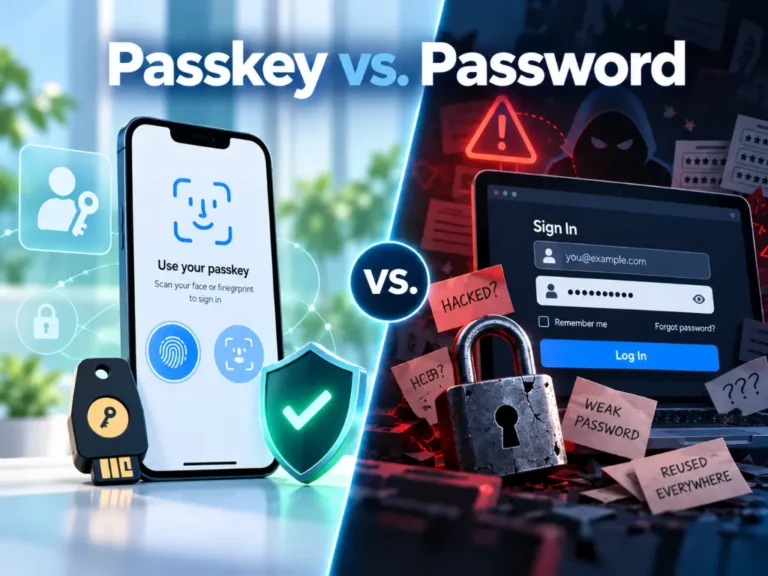
Passkeys vs passwords, in one sentence: a password can be talked out of a person, and a passkey can’t be used on the wrong website. That’s a real improvement, and it costs nothing extra in Microsoft 365. Microsoft says passkeys are available in every Entra ID edition, including the free one.
Five ways attackers get around phishing-resistant MFA
None of what follows breaks the cryptography behind a passkey. Each route works around the passkey, usually by finding the part of your setup that isn’t one.
1. The phone call from “IT”
This was the front door of the campaign Microsoft described, and it works for a simple reason: a phone call skips every email filter you pay for. The 2026 Verizon Data Breach Investigations Report found that in phishing simulations, the median click rate for voice and text lures ran 40 percent higher than for email. The voice and text figure rests on only 35 simulated campaigns, so treat it as directional. The same report puts pretexting, the invented-scenario con that Verizon says frequently arrives by voice, at 6 percent of breach entry points.
It runs in both directions. Attackers call employees pretending to be the help desk, and they call the help desk pretending to be employees. The CISA and FBI Scattered Spider advisory describes both: posing as IT staff to collect one-time codes, and convincing help desk staff to reset passwords and transfer MFA to a device the attacker controls. A passkey does nothing for you if your own help desk replaces it with a text message to the attacker’s phone. I wrote more about what these calls sound like in an earlier post.
2. Device code phishing: the real Microsoft page, the wrong device
Some devices, such as conference room systems, can’t show a full sign-in screen, so Microsoft lets you sign them in by typing a short code at microsoft.com/devicelogin from another device. Attackers turned that convenience into a weapon. They generate the code themselves, send it to you with a believable reason, and you sign in on Microsoft’s genuine page. As Microsoft explains it, entering the code unknowingly authorizes the attacker’s session.
Because everything happens on the real Microsoft site, there’s nothing for a passkey to object to. You can sign in with the strongest method you own and still hand over access, and the attacker’s tokens keep working until someone revokes them.
Huntress reported device code phishing attacks up 1,380 percent from the second half of 2025 to the first four months of 2026, with a single wave hitting 344 organizations. That’s one vendor’s telemetry, and big percentages can start from small numbers. On September 22, Microsoft announced that its Digital Crimes Unit and partners had disrupted EvilTokens, a phishing service built on this technique, which Microsoft linked to more than 12,000 compromised inboxes across more than 10,000 organizations. Disruptions help, but the technique outlives any one kit.
3. The downgrade: make the passkey “fail”
In August 2025, Proofpoint researchers showed how a phishing proxy can pretend to be a browser that Microsoft Entra ID doesn’t support passkeys on, using Safari on Windows as their example. The victim sees a sign-in error and a prompt to choose another method, picks an app code instead, and the proxy captures the session just like the June attack. Proofpoint hadn’t seen this downgrade attack in the wild when they published. It only works when the account has a weaker method sitting next to the passkey, and Proofpoint noted that’s usually the case, because administrators want a recovery option.
That’s the real lesson. Adding a passkey doesn’t make an account phishing-resistant. Requiring one for sign-in does.
4. The back door: recovery and new sign-in methods
Every account has a way back in for the day someone loses a phone, and attackers love that path. In the cases Microsoft described, a common step after getting in was registering the attacker’s own MFA method (a phone number, an authenticator app, or a software token) so they could keep signing in without the victim. Scattered Spider does the same, sometimes with the help desk doing the registration for them.
Synced passkeys add a quieter version of this. A passkey saved in iCloud Keychain or Google Password Manager follows the person to every device on that account, which means the passkey is only as well protected as the Apple or Google account behind it. Microsoft still counts synced passkeys as phishing-resistant, but its documentation says to trust them no more than any other authenticator whose make and model it can’t verify. NIST’s 2025 digital identity guidelines don’t allow synced passkeys at their highest assurance level, because the key can leave the device. For most staff, synced passkeys are a reasonable trade. For administrators and anyone who can move money, I want a device-bound passkey, in Microsoft Authenticator or on a hardware security key.
5. After the login: the session is still the prize
A passkey protects the moment you sign in. It doesn’t protect the session your browser holds afterward. If information-stealing malware is on the laptop, or a token was handed over through device code phishing, the passkey already did its job. Microsoft also warns that revoking a user’s sessions doesn’t immediately kill access tokens already issued, which can stay valid for up to an hour, and recommends temporarily disabling a compromised account to contain it.
Token Protection, a Conditional Access control that ties sign-in tokens to the device they were issued to, helps here. As of this writing it covers native apps, not browsers, connecting to Exchange Online, SharePoint, and Teams, and Apple support is still partly in preview. That’s why limits on unmanaged devices, and the monitoring I covered in my post on identity threat detection and response, still matter after you roll out passkeys.
Where passkeys help, and where they don’t
| Attack route | Does a passkey stop it? | What closes the gap |
|---|---|---|
| Fake sign-in page relaying your login (AiTM) | Yes | Require phishing-resistant MFA for sign-in |
| Phone call from “IT” | No | A written verification rule before any reset, and staff who know IT won’t call about passkeys |
| Device code phishing | No | Block device code sign-ins in Conditional Access |
| Downgrade to a weaker method | Only if weaker methods can’t satisfy sign-in | Require the Phishing-resistant MFA strength and retire text and voice codes |
| New MFA method or recovery abuse | No | Protect security info registration and use a Temporary Access Pass for recovery |
| Stolen session or token | No | Managed devices, Token Protection where supported, and monitoring |
What about the “passkeys got hacked” headlines?
Two stories from 2025 still circulate as proof that passkeys don’t work. Neither shows that passkeys themselves were broken.
PoisonSeed. In July 2025, Expel reported that attackers had bypassed FIDO security keys by abusing the QR code you scan to sign in with your phone. Eight days later, Expel published a correction and an apology: the attacker had phished the password, but every MFA challenge after that failed. Expel also noted that cross-device sign-in fails unless the phone is physically near the computer.
Passkeys Pwned. At DEF CON 33 in August 2025, SquareX researchers showed that malicious code running inside your browser, from a bad extension or a website with a script-injection flaw, can tamper with passkey registration and sign-in. It’s real research, but SquareX describes it as an implementation flaw rather than a break in the FIDO2 cryptography. The practical lesson: control which browser extensions your staff can install.
So, can passkeys be hacked? The cryptography holds up. Everything around it is where the work is.
How to close the gaps in a Microsoft 365 office
Here’s the order I’d work in for a 15 to 75 person company on Microsoft 365. Most of it is configuration, not new products.
- Require phishing-resistant MFA, starting with admins and anyone who can move money. In Entra ID that’s a Conditional Access policy using the built-in Phishing-resistant MFA strength. Conditional Access needs Entra ID P1, which is included in Microsoft 365 Business Premium.
- Retire the fallbacks you can. Text message and voice codes go first. Once your policy requires a phishing-resistant method, a downgraded sign-in fails instead of falling back.
- Block device code sign-ins. Microsoft recommends blocking device code flow wherever possible. If a conference room device truly needs it, scope a narrow exception to that device.
- Lock down adding new sign-in methods. A Conditional Access policy on security info registration can require a strong sign-in before anyone adds a method. When someone loses a phone, issue a Temporary Access Pass instead of resetting them to text messages, and alert on every new method registration.
- Treat unmanaged devices differently. Require a managed, compliant device for email and files, keep personal devices to web-only access without downloads, and turn on Token Protection where it’s supported.
- Stop users from approving apps on their own. Require admin approval for app consent, so a phishing link can’t trade one click for ongoing access to a mailbox.
- Write down the help desk rule, and test it. No password or MFA reset until the caller is verified through a channel they didn’t supply, such as a callback to the number on file or confirmation from their manager.
- Give your staff one sentence to remember. IT will never call or text you to set up a passkey. If someone does, hang up and call IT back on the number you already have.
Google Workspace offices have an equivalent: the Only security key enforcement option for 2-Step Verification now accepts passkeys too. If your Microsoft 365 tenant is a few years old, my list of Microsoft 365 settings worth checking pairs well with this one.
Notes for medical, legal, and accounting offices
Medical and dental practices. The proposed HIPAA Security Rule update would make MFA mandatory with narrow exceptions, but the federal regulatory agenda now targets final action for July 2027 and lists the rule as a long-term action. I covered what to do with that extra time separately. Your front desk answers the phone all day, which makes it the natural target for a call that sounds like IT.
Law firms. The comment to Florida Bar Rule 4-1.1 says competent representation includes safeguarding confidential client information, electronic communications included, and that staying competent means understanding the benefits and risks of technology. A partner’s mailbox opened through a device code sign-in is exactly that risk.
CPA and tax firms. The FTC Safeguards Rule requires MFA for any individual accessing any information system, unless your Qualified Individual approves equivalent or stronger controls in writing, and tax preparers are covered. Notice that the rule says MFA, not phishing-resistant MFA. Meeting the rule and stopping these attacks are two different bars.
The honest tradeoffs
Phishing-resistant MFA is the best sign-in protection a small business can buy right now. It still has costs and limits, and you should hear them from me before you hear them from your staff.
- It costs something. Passkeys are free. Enforcing them with Conditional Access needs Entra ID P1, through Business Premium or an add-on license.
- It adds friction. Lost phones, shared front desk computers, older browsers, and people who sign in from personal devices all need a plan before you flip the switch. Expect the rollout to take weeks, not an afternoon.
- Exceptions are holes. Every device or app you exempt from the phishing-resistant requirement or the device code block is a door you chose to leave open. Keep that list short and in writing.
- Recovery becomes the target. The stronger your sign-in, the harder attackers will lean on your help desk and your recovery process. That’s not a reason to skip passkeys. It’s a reason to fix the help desk first.
- It doesn’t fix everything. Phishing-resistant MFA does nothing about malware already on a laptop, a malicious browser extension, or an employee who pays a fake invoice because the email looked right. That last one is its own problem: business email compromise.
Full disclosure
Harmony MSP sells the managed security work that covers everything on this list, so I benefit if you decide it’s worth paying someone to do it. There’s a less flattering reason this topic matters to us, too. When an attacker calls a help desk pretending to be your office manager, that help desk might be ours. Any IT provider you hire should be able to tell you, in writing, how they verify a caller before resetting a password or an MFA method. Ask us that question. Ask your current provider, too.
Frequently asked questions
Can passkeys be phished?
Not in the classic sense. A passkey only works on the website it was created for, so a fake sign-in page gets nothing it can use. Attackers go around it instead: they call staff pretending to be IT, trick people into approving a device code sign-in on Microsoft’s real page, or push the account onto a weaker backup method.
Is Microsoft Authenticator phishing-resistant?
It depends on how it’s used. Push approvals and six-digit codes are not phishing-resistant. A passkey stored in Microsoft Authenticator is. It’s a passkey, so it satisfies Entra ID’s Phishing-resistant MFA strength, and it’s device-bound, so it never leaves the phone.
Is a passkey safer than a password?
Yes, by a wide margin. A password can be typed into a fake page, reused across sites, or stolen in a breach. A passkey can’t be used on the wrong website, and there’s no shared secret on the server to steal. The remaining risks sit around it: backup methods, the help desk, and stolen sessions after sign-in.
What is phishing-resistant MFA?
It’s sign-in protection that a fake website can’t capture and replay. In practice that means passkeys and FIDO2 security keys, Windows Hello for Business, and multifactor certificate-based authentication. Text codes, voice calls, and app approvals are still MFA, but they aren’t phishing-resistant.
Where to start
If you’re not sure which of these doors are open in your Microsoft 365 tenant, that’s worth finding out before someone else does. We’re happy to walk through your sign-in settings with you, with no pressure and no obligation. Harmony provides managed cybersecurity in Orlando and IT support in Orlando and across Central Florida. Give us a call at (407) 720-6540 whenever you’re ready.
Sources
- Microsoft Security Blog, Passkey-themed social engineering leads to identity and cloud compromise, September 9, 2026.
- Microsoft Security Blog, Unmasking EvilTokens: Getting to the root of device code phishing, September 22, 2026.
- Huntress, EvilTokens and the Rise of AI-Powered Phishing, June 23, 2026.
- Proofpoint, Don’t Phish-let Me Down: FIDO Authentication Downgrade, August 2025.
- Expel, An important update (and apology) on our PoisonSeed blog, July 25, 2025.
- SquareX Labs, Recap of our Passkeys Pwned talk at DEF CON, September 19, 2025.
- FBI, CISA, and partner agencies, Joint Cybersecurity Advisory AA23-320A: Scattered Spider, updated July 29, 2025.
- Verizon, 2026 Data Breach Investigations Report, Executive Summary.
- Microsoft Learn, Overview of Conditional Access Authentication Strengths.
- Microsoft Learn, How to enable passkeys (FIDO2) in Microsoft Entra ID.
- Microsoft Learn, Authentication flows as a condition in Conditional Access policy.
- Microsoft Learn, Control security information registration with Conditional Access.
- Microsoft Learn, How Token Protection Enhances Conditional Access Policies.
- Microsoft Learn, Microsoft 365 for business security overview.
- NIST, SP 800-63B-4: Authentication Assurance Levels, July 2025.
- Google for Developers, Passkeys.
- Google Workspace Admin Help, Deploy 2-Step Verification.
- Reginfo.gov, Unified Agenda entry for RIN 0945-AA22, HIPAA Security Rule.
- The Florida Bar, Rules Regulating The Florida Bar, Chapter 4, Rule 4-1.1 comment.
- eCFR, 16 CFR 314.4, FTC Safeguards Rule elements and 16 CFR 314.2, definitions.