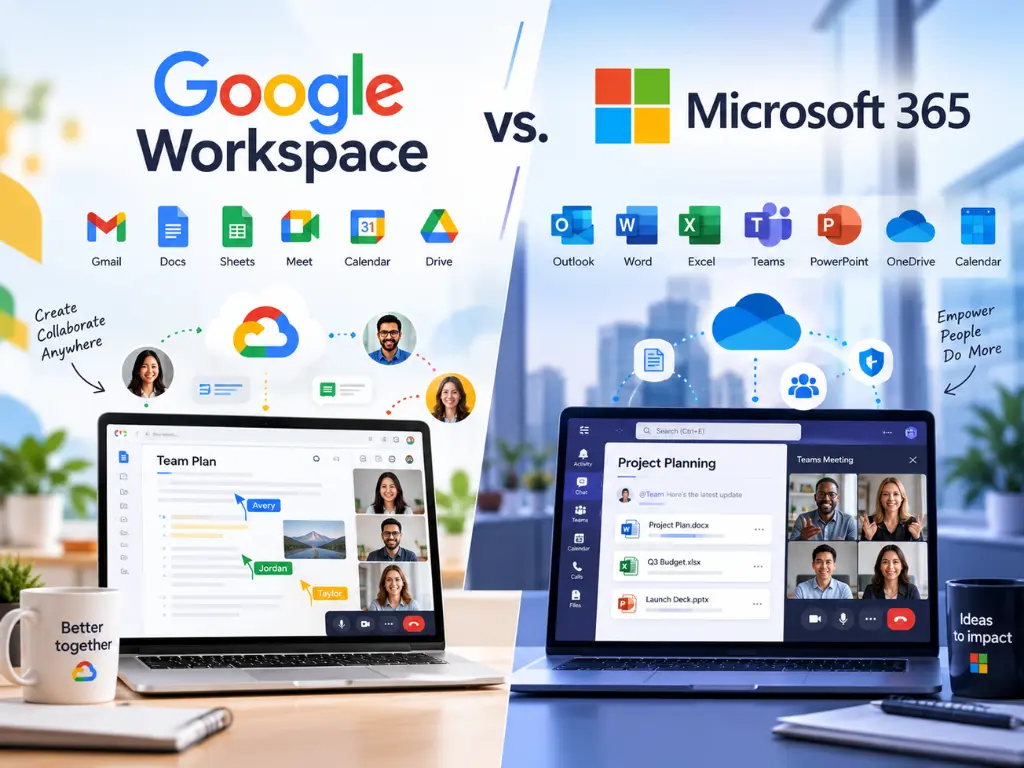
Every fall, as renewals come due and next year’s budget takes shape, owners across Central Florida ask me some version of the Google Workspace vs Microsoft 365 question: which one should we be on, and is it worth switching? This year the question has a push behind it. Microsoft’s new list prices took effect on July 1, 2026, and existing customers see them at their next renewal after that date.
Harmony manages both platforms, so I can be honest whichever way this lands. Below is how I’d decide for a 25-person office: what your staff will notice, what each plan costs as of October 2026, where security and compliance differ, and what a switch actually takes.
My short answer
If one of these platforms is working for your team today, switching rarely pays for itself. As of October 2026 the list prices match tier for tier, neither platform is meaningfully more secure at the small business level, and most of the cost of a switch lands on your staff’s time.
Switch when the platform is fighting the way your people work. Don’t switch because of a price change, a sales demo, or a new AI feature.
Google Workspace vs Microsoft 365: what your staff will notice
Email and calendar
Gmail and Outlook both handle email and calendars well. The practical difference is storage. Microsoft’s business plans include a 100 GB mailbox and a 50 GB archive per user (1.5 TB on Business Premium), on top of 1 TB of cloud storage per user for files.
Google pools storage across your organization: 30 GB per user on Business Starter, 2 TB on Business Standard, and 5 TB on Business Plus. That pool is shared between Gmail, Drive, and Photos. Offices that keep years of email with attachments can outgrow a Starter pool.
Files and sharing
Google keeps files in one place: Drive, with shared drives for team folders. Microsoft splits them between OneDrive and SharePoint. In my experience, Google is easier to pick up, and Microsoft rewards an office that plans its folder structure and permissions.
Meetings and chat
Both are fine for a 25-person office. Teams hosts up to 300 people on all three business plans, and Google Meet allows 100 on Starter, 150 on Standard, and 500 on Plus.
Desktop apps, which often decide it
Microsoft 365 Business Standard and Business Premium include desktop versions of Word, Excel, PowerPoint, and Outlook on up to 5 PCs or Macs, 5 tablets, and 5 mobile devices. Business Basic is web and mobile only. Google takes a browser-based approach with Docs, Sheets, and Slides, and lists interoperability with Office files on every plan.
For most staff, the browser is enough. For the two or three people who build complex spreadsheets all day, it usually isn’t, and they tend to drive the decision. If Google suits everyone else, Microsoft 365 Apps for business adds the desktop apps for just those people at $10 per user per month on an annual plan, without moving anyone’s email.
Built-in AI
Microsoft’s Copilot Chat comes at no additional cost with eligible business plans. The fuller Copilot, grounded in your own files and email inside Word, Excel, and Outlook, is extra: either a “with Copilot” plan ($23.50 for Business Standard, $32 for Business Premium) or the Copilot Business add-on, listed from $21 and discounted to $18 for the first year under an offer that runs through December 31, 2026. Google includes Gemini in Gmail on Starter and in Gmail, Docs, Meet, and more on Business Standard.
I wouldn’t pick a platform for its AI this year; the bundles and prices are changing too fast.
What it costs after Microsoft’s 2026 price change
Microsoft raised Business Basic from $6 to $7 and Business Standard from $12.50 to $14 per user per month, while Business Premium stayed at $22. In fairness, the same update added URL checks to Business Basic and Business Standard, so links get checked when someone clicks them.
Here’s what owners don’t expect: on list price, Microsoft 365 vs Google Workspace is now a tie. As of October 2026, Microsoft’s Basic, Standard, and Premium plans and Google’s Starter, Standard, and Plus plans all list at $7, $14, and $22 per user per month with an annual commitment, and $8.40, $16.80, and $26.40 month to month.
| Per user per month (annual / monthly) | Microsoft 365 | Google Workspace |
|---|---|---|
| $7 / $8.40 | Business Basic: web and mobile apps, 100 GB mailbox, 1 TB file storage | Business Starter: 30 GB pooled storage per user, 100-person meetings |
| $14 / $16.80 | Business Standard: adds desktop Office apps | Business Standard: 2 TB pooled per user, Gemini in Docs and Meet, meeting recording |
| $22 / $26.40 | Business Premium: adds Conditional Access, Intune, Defender, data loss prevention | Business Plus: 5 TB pooled per user, Vault, advanced endpoint management |
For 25 people on the middle tier, that’s $4,200 a year on either platform with an annual commitment, or $5,040 paying month to month. What differs is what each tier includes and what you’d have to add. If you want Microsoft’s work-grounded Copilot, for example, Business Standard with Copilot runs $9.50 more per user per month than Google’s Business Standard, about $2,850 a year for 25 people.
One more thing to plan around: annual commitments stick. Microsoft says annual subscriptions paid upfront get no refund if canceled before the end of the term, and Google says that if you cancel an annual plan early, you’re still responsible for the full value of the commitment. If you switch, time it to your renewal date.
Security and admin controls at the small business tiers
I answered “which one is more secure?” in my post on managing the employee lifecycle in both platforms, and my answer hasn’t changed: neither, in any meaningful way, at this tier. The gap between a well-managed tenant and a neglected one is far bigger than the gap between the two vendors.
Both give you the basics on every plan. Microsoft’s business plans include security defaults, which turn on multifactor authentication by default. Google lists 2-step verification and its Advanced Protection Program on every plan. Both include built-in spam filtering (Google, Microsoft), and what built-in filtering misses is worth understanding on either side.
The tiers diverge at $22. Microsoft 365 Business Premium includes Entra ID P1 with Conditional Access, Intune Plan 1, Defender for Business, and Defender for Office 365 Plan 1, plus data loss prevention for email and files. Google’s Business Plus adds Vault and advanced endpoint management, while data loss prevention and context-aware access appear on Enterprise (priced through sales). If sign-in policies and device management are high on your list, Microsoft packs more of that into its $22 plan. Google packs in more storage.
Two things neither platform does for you. Neither subscription is a backup of itself, which I explained in what really happens when you lose data in Microsoft 365 or Google Workspace. And neither configures itself. If you’re staying on Microsoft, start with five settings worth checking in an older tenant.
HIPAA and other compliance questions
Is Google Workspace HIPAA compliant? Is Microsoft 365?
Neither product is HIPAA compliant on its own. Google offers certain Workspace services to support HIPAA compliance, and Microsoft says using its services “doesn’t on its own achieve HIPAA compliance.” Microsoft’s page also notes that HHS currently approves no certification standard for proving a business associate’s HIPAA compliance.
What HHS does say: a cloud provider that stores or transmits your patients’ electronic health information is a business associate, and you must have a business associate agreement (BAA) with it, even if it only stores encrypted data it can’t read. Both vendors sign one.
- Google requires an administrator to review and accept its BAA in the Admin console before any PHI goes into Workspace. Its covered services list includes Gmail, Calendar, Drive (with Docs, Sheets, Slides, and Forms), Meet, Chat, Vault, and Gemini in Google Workspace. Third-party apps and add-ons aren’t covered.
- Microsoft makes its BAA available by default through its Data Protection Addendum to customers who are covered entities or business associates. Services in scope include Exchange Online, Teams, OneDrive, SharePoint, and Copilot Chat.
Either platform can be used in a HIPAA-compliant way; neither is compliant out of the box. This isn’t legal advice; your attorney decides how HIPAA or any other regulation applies to your practice or firm.
Notes for medical, legal, and accounting offices
- Medical and dental practices. Confirm the BAA is in place (on Google, someone has to accept it), keep PHI in covered services, and check each AI feature against the vendor’s list before staff paste patient details into it. HHS still expects your own risk analysis. More on our medical and dental practices page.
- Law firms. On Google, retention and eDiscovery come with Vault, which starts at Business Plus. On Microsoft, Business Premium adds a 1.5 TB archive and data loss prevention. Before you choose, ask your practice management vendor which platform their integration supports and whether it needs desktop Outlook or Word. More on our law firm page.
- CPA and accounting firms. The FTC’s Safeguards Rule names tax preparation firms among the businesses it covers, and it generally requires multifactor authentication for anyone accessing any information system, encryption of customer information, and a written risk assessment. Both platforms offer multifactor authentication; neither runs the rest of the program for you. More on our CPA and accounting firms page.
What a 25-person switch actually involves
Whether it’s a Google Workspace to Microsoft 365 migration or the reverse, both vendors provide their own tools.
- Into Microsoft 365. Microsoft’s Google Workspace migration moves mail with rules, calendars, and contacts in batches. It doesn’t move vacation or auto-reply settings, room bookings, shared calendars, or event colors, and migrated rules arrive turned off. Migration Manager moves Drive files into OneDrive and SharePoint. It converts Docs, Sheets, and Slides into Word, Excel, and PowerPoint files, skips shortcuts, and leaves Google Sites behind.
- Into Google Workspace. Google’s default data import, meant for 1 to 1,000 users, moves Exchange Online email and calendars, OneDrive and SharePoint files with their folders and permissions, and Teams chat messages.
The tools are the easy part. The project looks like this:
- Inventory first. List every mailbox, shared mailbox, group, shared calendar, and shared drive, plus anything that signs in with your current accounts or sends email (apps, scanners, phones).
- Copy ahead. Move older mail and files during the week while people keep working.
- Cut over on a weekend. Point your domain’s MX records at the new platform. Google’s setup guide says new MX records can take up to 72 hours to be recognized, so plan a final copy pass after the change.
- Be on the floor Monday. Set up phones, rebuild auto-replies and shared calendars, and turn migrated rules back on.
- Close the old account last. Verify everything arrived before you cancel anything.
For a 25-person office, I’d plan on two to four weeks of preparation, one weekend of cutover, and a week or two of cleanup. The line item people underestimate is retraining. Moving from Outlook to Gmail, or from Drive to SharePoint, changes muscle memory for everyone at once, and your busiest people feel it most.
When switching is worth it, and when it isn’t
Switching tends to pay off when:
- Your staff fight the tools daily, like an Excel-heavy team on Google or a browser-first team lost in SharePoint.
- A key line-of-business application works with only one platform.
- You need controls your current platform only offers at a much higher tier.
- You’re merging with a firm on the other platform.
It usually doesn’t pay off when the reason is price (the list prices now match), security (configuration matters more), or a new AI feature. And it almost never pays off mid-term, when you’d be paying for two platforms at once.
The honest tradeoffs
- A switch costs real time. Expect productivity to dip for a week or two, and schedule around your busy season.
- Not everything moves. Auto-replies, shared calendars, room bookings, and some file types need rebuilding by hand.
- Hybrid setups add work. Google plus a few Microsoft desktop licenses is often the right call, but it means two admin consoles and two places to remove a departing employee.
- Staying put isn’t free either. If your current setup was never configured well, those problems stay until someone fixes them, migration or not.
- Prices change. Everything here is as of October 2026. Check both vendors’ pages before you sign.
Where I have a stake in this
Harmony sells managed IT that covers both platforms, including setup, security, and backups, and a platform switch is the kind of major migration we scope and quote as a separate project. A switch is billable work for us, and staying put mostly isn’t. Weigh what I’ve said with that in mind.
There’s a less flattering point, too. An IT provider that’s more comfortable on one platform has a quiet incentive to steer every client toward it. Ask any provider, including us, which platform they’d recommend for your office, why, and whether they’d make money on the move. We support small and medium businesses on both, and I’d rather lose a migration project than move you onto the wrong platform.
Frequently asked questions
Which is better, Google Workspace or Microsoft 365?
Neither, as a rule. As of October 2026 the list prices match tier for tier, and neither is meaningfully more secure at the small business level once it’s configured well. Microsoft 365 tends to suit offices that depend on desktop Excel, Word, and Outlook, while Google Workspace tends to suit teams that work in the browser. Pick the one that fits how your people work, then manage it properly.
Will I lose my emails if I cancel Google Workspace?
Yes, unless you move or export them first. Google warns that after you cancel, your users’ Google Workspace data will be deleted and can’t be restored. Microsoft is similar: when a Microsoft 365 subscription is canceled, all associated data will be deleted. Migrate or export, verify, then cancel.
What are the disadvantages of Microsoft 365 (Office 365)?
The biggest are complexity and add-on costs. Files can live in OneDrive or SharePoint, which confuses staff unless someone designs the structure. The security tools that matter most for a small business, like Conditional Access and Intune, sit in Business Premium at $22 per user per month as of October 2026, and work-grounded Copilot in the Office apps costs extra.
What are the disadvantages of using Google Workspace?
Docs, Sheets, and Slides are browser-based, which frustrates heavy Excel users. Business Starter’s 30 GB of pooled storage per user is shared across Gmail, Drive, and Photos, and controls like data loss prevention and context-aware access are listed only on Enterprise plans.
Where to start
If your renewal is coming up and you’re not sure whether to stay, switch, or just fix what you have, a short conversation usually sorts it out. We’re happy to look at how your team works, what you’re paying, and how your current setup is configured, with no pressure and no obligation. Harmony provides managed cybersecurity in Orlando and IT support in Orlando and across Central Florida, on both platforms. Give us a call at (407) 720-6540 whenever you’re ready.
Sources
- Microsoft, Advancing Microsoft 365: New capabilities and pricing update, December 4, 2025.
- Office Watch, Microsoft Announces Global Microsoft 365 Price Increases: What It Means for You, December 10, 2025.
- Microsoft, Microsoft 365 Pricing for Business: Plans & Features, accessed October 8, 2026.
- Microsoft, Microsoft 365 Business Basic, accessed October 8, 2026.
- Microsoft, Microsoft 365 Business Standard, accessed October 8, 2026.
- Microsoft, Microsoft 365 Business Premium, accessed October 8, 2026.
- Microsoft, Microsoft 365 Apps for business, accessed October 8, 2026.
- Microsoft Learn, Microsoft 365 for business security overview, updated December 19, 2025.
- Microsoft Learn, Health Insurance Portability and Accountability Act (HIPAA) & Health Information Technology for Economic and Clinical Health (HITECH) Act, updated July 29, 2025.
- Microsoft Learn, Perform a Google Workspace migration to Microsoft 365 or Office 365, updated August 8, 2024.
- Microsoft Learn, Overview: Migrate Google Workspace to Microsoft 365 with Migration Manager, updated September 29, 2026.
- Microsoft Learn, Unsupported file types in Migration Manager, updated June 17, 2026.
- Google, Business Streamlining & Collaboration Solutions, accessed October 8, 2026.
- Google, Compare Flexible Pricing Plan Options, accessed October 8, 2026.
- Google Workspace Help, Google Workspace storage FAQ for admins, accessed October 8, 2026.
- Google Workspace Help, Annual/Fixed-Term Plan, updated October 7, 2026.
- Google Workspace Help, HIPAA Compliance with Google Workspace and Cloud Identity, updated October 7, 2026.
- Google Cloud, HIPAA compliance on Google Cloud and Google Workspace, Workspace services list updated August 31, 2025.
- Google Workspace Help, Import your organization’s data to Google Workspace, updated October 7, 2026.
- Google Workspace Help, Set up MX records for Google Workspace, updated October 7, 2026.
- Google Workspace Help, Cancel Google Workspace, updated October 7, 2026.
- U.S. Department of Health and Human Services, Guidance on HIPAA & Cloud Computing, last reviewed December 23, 2022.
- Federal Trade Commission, FTC Safeguards Rule: What Your Business Needs to Know, December 2024.
- eCFR, 16 CFR 314.4, Elements, up to date as of October 6, 2026.