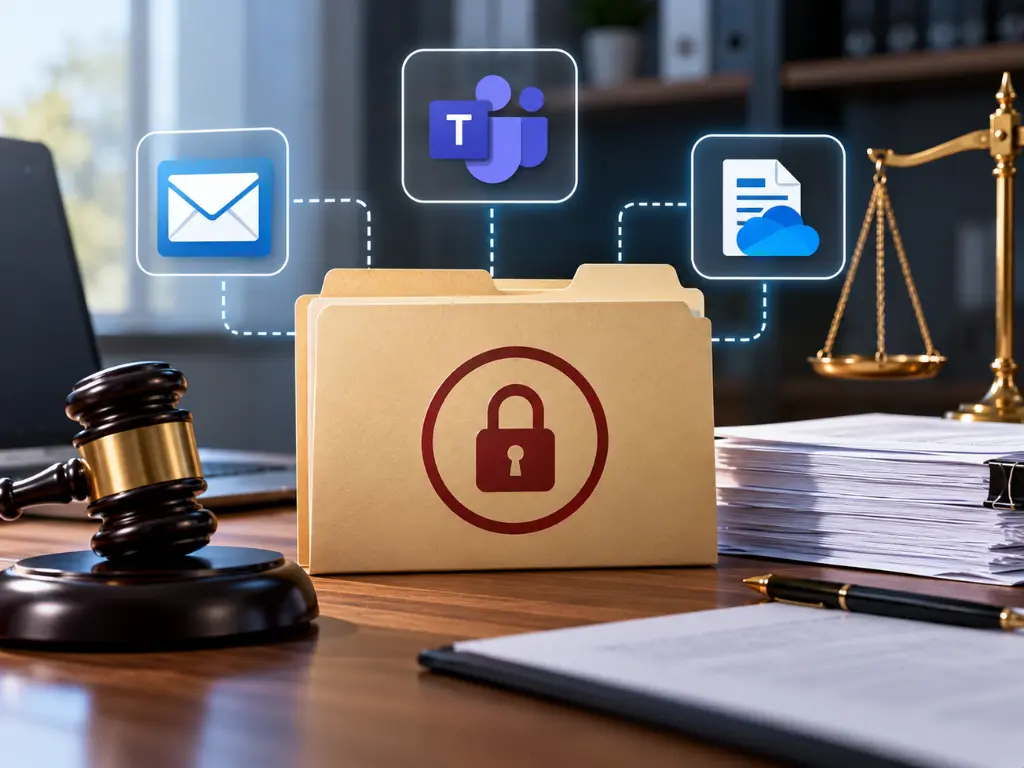
When a hold letter arrives, or your attorney tells you a lawsuit is likely, a litigation hold starts two different jobs at once. Your lawyer has to tell the right people what to keep. Someone also has to make sure your systems keep it, even when people delete things, clean out mailboxes at year end, or leave the company.
In a small business, the second job is the one that slips. The notice goes out, everyone agrees not to delete anything, and nobody tells whoever runs Microsoft 365. Then a departed employee’s account gets removed to save a license, and the email the case turns on goes with it.
Below is who does what, how Microsoft 365’s hold tools differ, Teams chats and phones, departing employees, and licensing as of October 2026.
This isn’t legal advice. Whether you have a duty to preserve, who it covers, and for how long are your attorney’s decisions. My job here is the IT side.
The notice and the technical hold are two different jobs
The legal hold notice comes from your attorney and goes to the people likely to have relevant information, usually called custodians. It tells them what to keep. The Sedona Conference’s Commentary on Legal Holds recommends that a notice explain how to preserve, name someone to answer questions, ask for acknowledgment, address auto-delete features that should be suspended, and be followed by periodic reminders.
The technical hold is IT’s job: a Microsoft 365 setting that keeps copies of email, chats, and files even after someone deletes them.
You need both. The notice reaches places IT can’t, like phones, paper, and personal accounts. The technical hold catches what people forget.
A hold letter from the other side’s lawyer is a demand, and it may ask for far more than the case needs. Your attorney decides what’s in scope. The duty can also start before any letter arrives: the federal rules committee notes that many courts recognize it “when litigation is reasonably foreseeable.”
What “reasonable” looks like
Courts don’t expect perfection. In federal court, Rule 37(e) of the Federal Rules of Civil Procedure covers electronic information that “should have been preserved” and was lost because a party “failed to take reasonable steps to preserve it.” The committee note says the rule “does not call for perfection” and that a party “may act reasonably by choosing a less costly form of information preservation, if it is substantially as effective as more costly forms.” That’s the case for using the tools you already pay for, and using them correctly.
The stakes are still real. A court that finds prejudice can order measures “no greater than necessary to cure the prejudice.” If it finds an “intent to deprive” the other side of the information, it can presume the information was unfavorable, instruct the jury that it may or must presume the same, or dismiss the case or enter a default judgment. That’s the federal standard; for state court, your attorney will know what applies.
Who does what
| Job | Who owns it |
|---|---|
| Decide whether a duty exists, and its scope | Your attorney |
| Send the hold notice and collect acknowledgments | Your attorney, with management |
| Place and confirm holds in Microsoft 365 | IT |
| Pause account deletions, cleanups, and device wipes | IT and HR |
| Keep texts, paper, and personal accounts | Each custodian, per the notice |
| Release the hold | Your attorney decides; IT carries it out |
What a litigation hold in Microsoft 365 actually does
Microsoft 365 has three overlapping ways to preserve data.
Litigation Hold in Exchange Online
Litigation Hold is a switch on one person’s mailbox. According to Microsoft’s litigation hold instructions, it retains “mailbox content, including deleted items and the original versions of modified items,” archive mailbox included. Even when someone permanently deletes an email, a copy stays in the mailbox’s Recoverable Items folder.
It covers Teams chats, too. Private and group chats are stored in a hidden folder in each participant’s mailbox, and Microsoft’s Teams retention documentation says permanent deletion of those messages is suspended under Litigation Hold.
Three details matter:
- Leave the duration blank unless your attorney says otherwise. A time-based hold counts from the date each item was received or created, so a one-year hold won’t protect email from two years ago.
- It isn’t instant. Microsoft’s admin center warns it can take up to 240 minutes to take effect.
- The user notice is optional. There’s a field for a note the person sees in Outlook. Whether to use it is the attorney’s call.
Microsoft’s retention overview now files Litigation Hold under older features: “still supported,” with retention or eDiscovery holds recommended “as appropriate.” For a small office, it’s still the simplest way to lock down the mailbox piece.
eDiscovery holds
An eDiscovery hold is tied to a case in Microsoft Purview, Microsoft’s compliance portal. It can cover people’s mailboxes and OneDrive accounts, plus the mailboxes and SharePoint sites behind Teams and Microsoft 365 groups. Microsoft’s eDiscovery hold documentation says it can take up to 24 hours to take effect. Microsoft’s retention overview describes these holds as “designed for a limited duration to preserve data for a legal investigation.”
Retention policies
Retention policies are records rules: keep this for seven years, delete that after three. The same Microsoft overview calls them “designed for a long-term data lifecycle management strategy.” They make a good baseline and are Microsoft’s recommended way to keep a former employee’s mailbox, but they’re broad and not tied to a matter.
| Tool | Covers | Best fit |
|---|---|---|
| Litigation Hold | One mailbox, including that person’s Teams chats | Fast, reliable hold on email |
| eDiscovery hold | Mailboxes, OneDrive, SharePoint, and Teams, by case | A specific lawsuit |
| Retention policy | Locations you choose, for a set period | Records rules and departing staff |
Inside Microsoft 365, holds win. Microsoft’s rule is that, by default, “retention always takes precedence over permanent deletion,” and an eDiscovery hold outranks retention settings. A user or a routine cleanup policy can still remove items from view, but held content isn’t permanently deleted.
Litigation hold in Office 365: what your license covers
Check this before you need it.
- Litigation Hold needs Exchange Online Plan 2 on the mailbox, or Plan 1 plus a separate Exchange Online Archiving license, per Microsoft’s instructions. Microsoft’s Exchange Online Archiving service description lists Business Premium and the E3 and E5 plans as already including that archiving; Business Basic and Business Standard need the add-on for each held mailbox. If “Manage litigation hold” doesn’t appear for a user, Microsoft says a missing license may be why.
- Retention policies are licensed in Business Premium and the E3 and E5 plans. In the retention section of Microsoft’s Purview service description, Business Basic and Standard appear only on the list for Teams messages.
- eDiscovery holds are murkier. Microsoft’s eDiscovery documentation says admins and users working with eDiscovery cases need Microsoft 365 E3 or E5 licensing, and its hold documentation requires an eligible license for every person whose content you preserve. On Business Premium, have your IT provider confirm what your tenant supports before a letter arrives.
- Inactive mailboxes (deleted users’ mailboxes kept by a hold) don’t need a license, per the same service description.
If your tenant dates back to the early Office 365 days, licensing isn’t the only thing that may have drifted; see five Microsoft 365 settings worth checking in an older tenant.
Teams chats, shared files, and phones
A Teams conversation isn’t stored in one place, which is where Teams holds go wrong.
- Private and group chats live in each participant’s mailbox, and files shared in those chats live in the sharer’s OneDrive. Microsoft’s eDiscovery hold documentation says to hold both.
- Channel conversations live in the team’s group mailbox, and channel files live on the team’s SharePoint site. A hold on a person’s mailbox doesn’t reach them.
In OneDrive and SharePoint, when someone edits or deletes a file covered by retention, “the original content is copied to the Preservation Hold library,” a hidden library on the site, per Microsoft’s SharePoint and OneDrive retention documentation. The person keeps working; the original stays put.
Move quickly, too. Microsoft notes that the SharePoint Recycle Bin isn’t indexed, so eDiscovery can’t find content there to place on hold. Files deleted before the hold went on may not be covered.
Phones and text messages
Microsoft 365 holds cover mailboxes, OneDrive, SharePoint, and Teams. They don’t touch text messages or iMessages on anyone’s phone, company-owned or personal. That part rests on the notice and on each custodian.
Two things your attorney may want custodians to check:
- Auto-delete. On an iPhone, Keep Messages (Settings, then Apps, then Messages) includes a Forever option. Apple warns that with any other choice, conversations “are automatically removed after the specified time period elapses.”
- Sync. With Messages in iCloud, deleting a conversation on the iPhone deletes it from the person’s other Apple devices too.
Whether texts get collected, and how, is the attorney’s call. IT’s part is simpler: nobody trades in, resets, or wipes a custodian’s phone until the attorney says so.
Departing employees and year-end cleanups
In a small office, the threat to preserved data I worry about most isn’t an attacker. It’s routine housekeeping. I covered the offboarding timers in Microsoft 365 and Google Workspace lifecycle management, and a hold changes the order of operations:
- Hold first, then offboard. If a hold is on the mailbox before the account is deleted, it becomes an inactive mailbox and is kept. Confirm the hold is applied first; Microsoft warns that “if the hold isn’t applied, the mailbox won’t be converted into an inactive mailbox.”
- Watch the OneDrive clock. An unlicensed OneDrive goes read-only after 60 days and is archived after 93. Under Microsoft’s unlicensed OneDrive policy, in effect since July 1, 2026, if billing for unlicensed accounts isn’t turned on, the account “will be subject to deletion 365 days after being unlicensed even if retention policies, settings, or holds exist.” If the matter could run past a year, keep the custodian licensed, turn on that billing, or ask your attorney how to collect the files.
- Don’t wipe the laptop. Anything saved locally and never synced lives only on that device.
- Know what closing a case does. When an eDiscovery hold is released or its case is closed, Microsoft applies a 30-day delay hold. After that, an inactive mailbox kept only by that hold is permanently deleted.
Year-end cleanups are the other trap. Inside Microsoft 365, held content survives deletion. Outside it, no hold protects anything: an old file server, PST files on a laptop, personal cloud storage. Pause those cleanups for custodians until your attorney sets the scope.
If you run a law firm
Law firms see holds from both sides. When a client gets a hold letter, you’re the one explaining what preservation means in practice. When the firm is a party, the same mechanics apply to your own tenant.
The Florida Bar’s comment to Rule 4-1.1 says keeping up includes “an understanding of the benefits and risks associated with the use of technology,” and that competent representation may involve “a non-lawyer advisor of established technological competence in the field in question.” You don’t need to know PowerShell. You do need someone who can tell you, in writing, what’s on hold and since when. That’s the kind of work we do for law firms in Central Florida.
A first-week checklist when a hold letter arrives
- Send the letter to your attorney the day it arrives.
- Your attorney identifies custodians and scope, sends the legal hold notice, and collects acknowledgments.
- IT places and confirms holds on each custodian’s mailbox and OneDrive, plus any Teams and SharePoint sites in scope.
- Pause anything routine that deletes custodian data: account removals, license cleanups, cleanup projects, device wipes.
- Write down what was held, when, and by whom. Sedona’s guidance also recommends monitoring compliance.
- Put reminders on the calendar: the attorney reissues the notice, and IT rechecks holds and licenses.
- Release holds only on your attorney’s written instruction.
Honest tradeoffs
Holds use tools you may already pay for, but they aren’t free, and they don’t fix everything.
- Storage grows. Nothing held gets purged, so held mailboxes and sites only get bigger, and someone has to watch the limits (more on that in the FAQ below).
- Licenses cost money. Archiving add-ons, licenses kept on departed custodians, or Microsoft’s unlicensed OneDrive rates (as of October 2026, $0.05 per GB per month past 93 days, plus $0.60 per GB to reactivate an archived account).
- A hold isn’t a backup. It keeps copies inside the same Microsoft 365 tenant and protects against deletion, not everything else; see what really happens when you lose data in Microsoft 365 or Google Workspace.
- It stops at the edge of Microsoft 365. Phones, paper, and personal accounts depend on the notice.
- Over-preserving costs, too. The Rule 37(e) committee note warns that “aggressive preservation efforts can be extremely costly.” Holding every mailbox forever means more storage and more to search. Your attorney sets the scope; IT shouldn’t guess.
Where I have a stake in this
Harmony sells the managed IT and security work that includes setting, checking, and documenting holds, so I benefit if you decide it’s worth paying someone to do it.
There’s a less flattering reason this matters to us, too. One of the easiest ways to destroy preserved data is ordinary offboarding: someone removes a departed employee’s license or deletes the account to tidy up the bill. That someone might be your IT provider. It might be us. Any provider you hire should be able to show you, in writing, how their offboarding checks for active holds before anyone touches a license or an account. Ask us that question. Ask your current provider, too.
Frequently asked questions
When a litigation hold is received, what should management do?
Send it to your attorney right away and let them decide the scope and the custodians. Then have IT place and confirm holds on those custodians’ mailboxes, OneDrive accounts, and relevant Teams and SharePoint sites, and pause account deletions, cleanups, and device wipes. Write down what was done and when.
How do I remove a litigation hold in Office 365?
An admin turns the hold off on the mailbox, for example with the Exchange Online PowerShell command Set-Mailbox and its LitigationHoldEnabled parameter set to false. Microsoft then applies a 30-day delay hold before held items can be purged. Only remove a hold when your attorney confirms the duty to preserve has ended.
What license do I need for litigation hold in Exchange Online?
The mailbox needs Exchange Online Plan 2, or Exchange Online Plan 1 plus an Exchange Online Archiving license. As of October 2026, Microsoft lists Business Premium and the E3 and E5 plans as already including that archiving, while Business Basic and Business Standard need the add-on.
What happens when a mailbox on litigation hold gets full?
A hold raises the main mailbox’s Recoverable Items limit from 30 GB to 100 GB, or 110 GB with auto-expanding archiving turned on. If that folder still fills, Microsoft’s Recoverable Items documentation says users can’t delete items and edited items stop being versioned. The real fix is the archive mailbox: Microsoft’s default policy moves items from that folder to the archive’s own Recoverable Items folder after 14 days, and with auto-expanding archiving the archive can grow to 1.5 TB, per Microsoft’s quota guidance. Removing the hold is not the fix.
Where to start
If you’re not sure whether your licenses support a hold, or what would happen to a departing employee’s data under one, it’s worth finding out before a letter arrives. We’re happy to walk through it with you: what your plan includes, how your offboarding handles holds, and where the gaps are. No pressure and no obligation.
Harmony provides managed cybersecurity in Orlando and IT support in Orlando and across Central Florida. Give us a call at (407) 720-6540 whenever you’re ready.
Sources
- Microsoft Learn, Place a mailbox on litigation hold, updated July 28, 2026.
- Microsoft Learn, Exchange Online Archiving service description, updated July 24, 2025.
- Microsoft Learn, Microsoft Purview service description, updated August 3, 2026.
- Microsoft Learn, Create holds in eDiscovery, updated June 19, 2026.
- Microsoft Learn, Learn about eDiscovery features and components, updated September 19, 2026.
- Microsoft Learn, Learn about retention policies and retention labels, updated July 22, 2026.
- Microsoft Learn, Learn about inactive mailboxes, updated August 5, 2026.
- Microsoft Learn, Identify Exchange mailbox hold types in eDiscovery, updated June 23, 2026.
- Microsoft Learn, Recoverable Items folder in Exchange Online, updated July 13, 2026.
- Microsoft Learn, Increase the Recoverable Items quota for mailboxes on hold in eDiscovery, updated June 19, 2026.
- Microsoft Learn, Learn about retention for Microsoft Teams, updated June 3, 2026.
- Microsoft Learn, Learn about retention for SharePoint and OneDrive, updated September 22, 2025.
- Microsoft Learn, Manage unlicensed OneDrive user accounts, updated August 26, 2026.
- Legal Information Institute, Cornell Law School, Rule 37. Failure to Make Disclosures or to Cooperate in Discovery; Sanctions, Rule 37(e) as amended effective December 1, 2015.
- The Sedona Conference, Commentary on Legal Holds, Second Edition: The Trigger & The Process, June 2019.
- The Florida Bar, Rules Regulating The Florida Bar, Chapter 4: Rules of Professional Conduct, October 1, 2026.
- Apple Support, Delete messages and attachments in Messages on iPhone, accessed October 8, 2026.