Nobody calls me about their firewall. In fifteen years of running an MSP, I cannot remember a single prospect who opened the conversation with “I am worried about the firmware on my switches.” They call because email is down, or the server is slow, or an insurance form asked a question nobody in the building could answer.
That is the problem with network and infrastructure management. When it is done well, nothing happens. No outage, no headline, no call at 2 a.m. The work is invisible by design, which makes it the easiest line item to cut and the hardest one to justify until the day it matters.
This post is about what that day costs: what infrastructure management actually covers, what the 2026 data says happens when it is neglected, and how to tell whether your current provider is doing it or just billing for it. I sell this service, so I will be upfront about where my interest lies. But the numbers below come from Verizon, Sophos, CISA, the FBI, Microsoft, and the Bureau of Labor Statistics, not from me.
What “network and infrastructure management” actually means
Most owners picture IT support as the helpdesk: someone fixes the thing a user reported. Infrastructure management is the other half of the job, the half users never see. It covers the equipment and systems everyone depends on but nobody logs into:
- The firewall and router at the edge of your network, and whatever remote access (VPN, remote desktop) runs through them
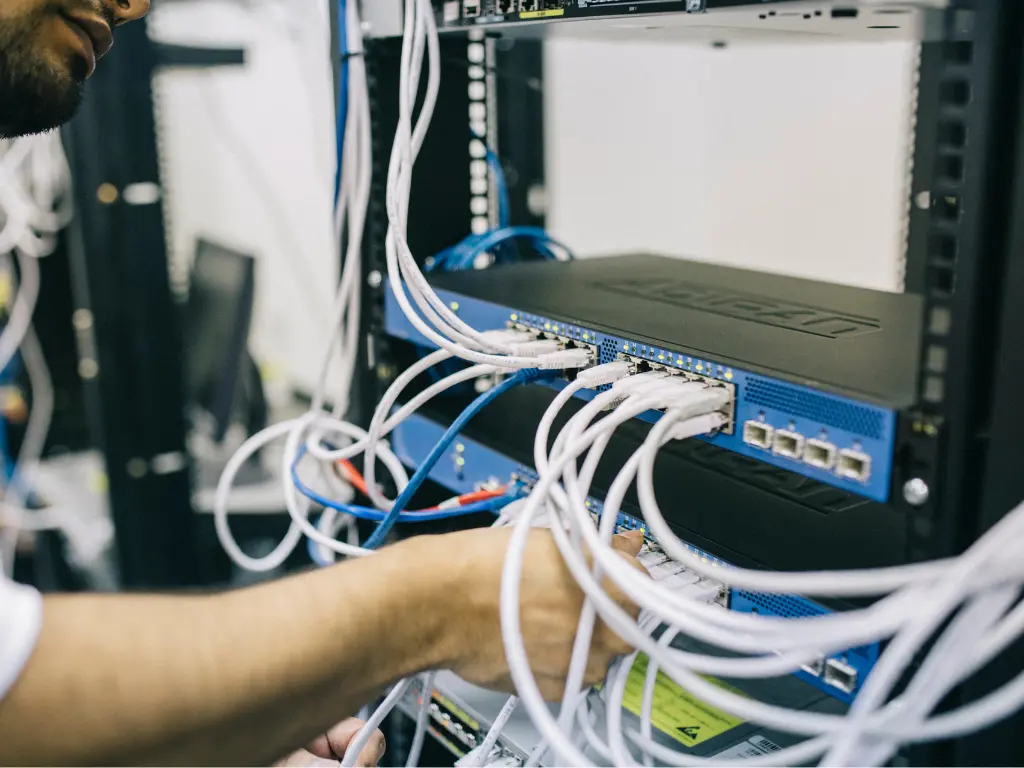
- Switches, wireless access points, and the cabling between them
- Servers, physical or virtual, including the hypervisor they run on
- Storage, backup appliances, and the backup jobs themselves
- Internet circuits, DNS, your domain registration, and SSL certificates
- Your Microsoft 365 or Google Workspace tenant, which is infrastructure even though it lives in someone else’s data center
- Monitoring, logging, and the documentation that records what all of it is and how it is configured
Managing that inventory means knowing what you have, knowing when each piece stops receiving security updates, patching firmware and operating systems on a schedule, backing up configurations, watching for failures before they become outages, and replacing equipment on a plan instead of in a panic.
NIST describes patching, one piece of this work, as “preventive maintenance for computing technologies” and “a cost of doing business” in Special Publication 800-40. I think that framing applies to the whole discipline. You do not skip oil changes because the engine sounds fine today.
What the 2026 data says about neglected infrastructure
I try not to lead with fear, because fear sells badly and ages worse. But this year’s reporting produced numbers owners should sit with, and every one of them traces back to equipment and software nobody was maintaining.
Unpatched systems are now the number one way in. Verizon’s 2026 Data Breach Investigations Report, which analyzed more than 22,000 confirmed breaches across 145 countries, found that exploitation of vulnerabilities was the most common initial access vector at 31% of breaches, overtaking stolen credentials for the first time in the report’s 19-year history. In the small and medium business subset (7,152 confirmed breaches), it still led at 26%.
Organizations are falling further behind on the patches that matter most. The same report found that only 26% of vulnerabilities on CISA’s Known Exploited Vulnerabilities list were fully remediated in 2025, down from 38% the year before. The median time to full resolution rose to 43 days from 32. Attackers are getting faster at exploiting known flaws while defenders are getting slower at closing them. We wrote about the AI-driven side of that squeeze in The Patch Window Closed.
The window stays open for a long time. Sophos analyzed 661 incident response cases for its 2026 Active Adversary Report. Where a specific vulnerability could be confirmed, the median gap between the vendor publishing a patch and the attacker exploiting it was 322 days, and some of the exploited flaws dated back to 2008. Attackers are not primarily racing zero-days. They are walking through doors that have been unlocked for the better part of a year. And this is small business data: 84% of the Sophos cases came from organizations with fewer than 1,000 employees, and 56% had 250 or fewer.
End-of-life equipment is showing up in more attacks. Sophos reported a tripling in end-of-life systems implicated in attacks year over year. Of the Windows Server versions its investigators could identify, 13% were already past end of support and another 27% were about to be.
The government is now treating unsupported edge devices as an emergency. On February 5, 2026, CISA issued Binding Operational Directive 26-02, ordering federal agencies to inventory and remove end-of-support firewalls, routers, VPN gateways, and similar devices. The directive only binds federal agencies, but CISA, the FBI, and the UK’s National Cyber Security Centre released a joint fact sheet the same day that “strongly encourage” all organizations to follow it. The first mitigation on their list is not a product. It is an asset inventory with support dates.
The next deadline is already on the calendar. Windows Server 2016 reaches the end of extended support on January 12, 2027, according to Microsoft’s lifecycle documentation. If you have a server closet, there is a fair chance something in it is running 2016, just as many businesses discovered they still had Windows 10 machines when that support ended last October.
A note on the numbers. The Verizon and Sophos figures come from breach and incident response datasets, which skew toward organizations that had a bad enough day to call for help. They describe what attackers do when they succeed, not how likely any given business is to be hit. They are the best real-world data available, not a prediction of your odds.
Where the money actually goes
The statistics above describe how breaches happen. They do not tell you what neglected infrastructure costs, and I am not going to quote an “average cost of a breach” for a small business, because nobody has reliable SMB-specific data for that. The widely cited enterprise figures do not apply to a 30-person company. What I can do is describe the four buckets the cost lands in, based on fifteen years of watching it happen.
1. The breach itself
The FBI’s Internet Crime Complaint Center logged $20.9 billion in reported losses in its 2025 Internet Crime Report, a 26% increase over 2024. Its ransomware figure ($32 million in reported losses from 3,611 complaints) comes with an important footnote: it excludes business disruption, equipment, and third-party remediation costs, which are usually the larger numbers. Verizon’s 2026 Breach Impact Study, built on roughly 70,000 cyber insurance claims, found that in the most extreme cases (the top 2.5%), a breach cost small and medium businesses more than 7% of annual revenue. That is a tail-risk number, not a typical one.
2. Downtime that nobody planned
The failure mode I see most often is not a hacker. It is a drive that fails in a server with no working spare, a firewall that dies on a Tuesday, a UPS battery nobody replaced, or an SSL certificate that expired over a weekend. All of them are preventable with monitoring and lifecycle tracking, and all of them cost you the same way: every employee who cannot work is still on payroll.
You can do this math yourself. Take your headcount, multiply by a fully loaded hourly cost, and multiply by hours down. Twenty-five employees at $45 per hour fully loaded is $1,125 per hour in payroll alone, before lost revenue, missed deadlines, or the customer who called and got nothing. A half-day outage is roughly $4,500 in salary paid for no output. That is an illustration, not a statistic, but it is the arithmetic your P&L will show.
3. Recovery that fails when you need it
Backups that were never test-restored. Firewall configurations that exist only inside the device that just died. Logs that rolled over before anyone looked at them. Sophos flagged log retention as a growing problem in its 2026 report, noting that firewall appliances often keep logs for only seven days by default, and in some cases 24 hours. When something goes wrong, missing logs mean nobody can tell you what happened, which affects your insurance claim, your notification obligations, and your ability to know whether it is actually over.
4. Emergency pricing and forced decisions
When a firewall fails without a replacement plan, you buy whatever is in stock, at whatever price, and someone rebuilds the configuration from memory at overtime rates. When a server past end of support finally breaks, you migrate under pressure instead of on a schedule. Planned replacement is a line item. Unplanned replacement is a crisis with the same invoice plus everything the crisis cost.
Deferred maintenance on a network behaves like deferred maintenance on a building: each year you skip it, the eventual bill grows, and the number of things that can fail at once goes up.
What good infrastructure management looks like
None of this is glamorous, which is partly why it gets skipped. A competent provider should be doing all of the following without being asked:
- Maintaining a current inventory of every device and system, with firmware or OS version, warranty status, and vendor support end date
- Keeping a written lifecycle plan and budget, so replacements happen on a schedule you approved rather than one the hardware chose
- Patching firmware on firewalls, switches, access points, hypervisors, and storage, not just Windows updates on desktops (our patch management post explains why that distinction matters)
- Backing up network device configurations somewhere other than the device itself
- Monitoring disk capacity, uptime, backup job completion, certificate expiration, and circuit health, with a named person responsible for the alerts
- Retaining logs well beyond the appliance default, long enough to investigate an incident from weeks ago
- Testing restores, not just confirming that backup jobs reported success
- Minimizing what is exposed to the internet and hardening whatever must be: no open remote desktop, VPN patched or replaced, MFA on every remote entry point
- Documenting all of it so the business is not dependent on one person’s memory
If your provider cannot show you the inventory on request, the rest of the list is probably not happening either. Our earlier piece on IT asset and documentation management explains why the inventory is the foundation everything else sits on.
The honest tradeoffs
This is the section I would want to read if I were the buyer.
It costs money when nothing is broken. That is the whole point, but it feels like paying for nothing. You are buying outages you did not have, and you will never get a receipt for those.
You will replace hardware that still works. A seven-year-old firewall that passes traffic fine is still a seven-year-old firewall that stopped receiving security updates. Lifecycle management means retiring equipment on the vendor’s timeline, not yours, and that is a hard conversation when the device looks healthy.
Patching carries its own risk. Firmware updates occasionally break things. The answer is maintenance windows, staged rollouts, and configuration backups before every change, not skipping updates. But I will not pretend every patch is risk-free.
Not every business needs the same depth. A five-person office that lives in Microsoft 365 has far less to manage than a 60-person firm with on-premises servers and three locations. But even the smallest office has a firewall, Wi-Fi, DNS, a domain, and a cloud tenant, and each has a support lifecycle and a failure mode.
Infrastructure management does not fix identity. Sophos found that 67% of the root causes in its 2026 dataset were identity-related: stolen credentials, brute force, phishing. A perfectly patched network with weak MFA is still a soft target. This is one layer. Our posts on MFA and identity threat detection cover the others.
Where my interest lies
Harmony MSP includes network and infrastructure management in our flat-fee agreements. That is partly principle: we do not think you should have to buy the boring parts separately, because they are the parts that prevent the expensive calls. It is also self-interest: under a flat fee, we absorb the labor when your infrastructure fails, so we are financially motivated to keep it from failing. I explained that incentive structure in our post on unlimited flat-fee support. I would rather you understand the incentive than take my word for it.
Questions to ask your current provider
If you want to find out whether infrastructure management is actually happening, ask these. The answers should be specific and quick. If they are vague, or take a week, you have learned something important.
| Question | What a good answer looks like |
|---|---|
| Can you send me an inventory of every device on my network with its support end date? | A document, within a day, not a promise to build one |
| Is anything on my network past end of support, or within 12 months of it? | A named list, with a replacement plan and a cost |
| When was the firmware on my firewall last updated, and who verified it? | A date and a name |
| Where are my firewall and switch configurations backed up? | A location that is not the device itself |
| How long are my network and firewall logs retained? | A number of days, ideally 90 or more |
| When did you last restore something from backup to prove it works? | A date and what was restored |
| What is exposed to the internet from my network, and why? | A short list with a business reason for each item |
| What is monitored, and who gets the alert at 2 a.m.? | Named systems and a named on-call process |
| What will infrastructure replacement cost me over the next 24 months? | A budget you can plan around |
The 2 a.m. question is not rhetorical: Sophos found that 88% of ransomware in its 2026 dataset was deployed outside business hours, which we covered in What Happens at 2 a.m. For the broader evaluation, see what Orlando businesses should look for in an MSP.
Frequently asked questions
What is the difference between network management and regular IT support?
The helpdesk responds to problems users report. Infrastructure management maintains the systems users depend on but never touch: firewalls, switches, servers, backups, and the cloud tenant. One is reactive by nature. The other only works if it is proactive.
We moved everything to the cloud. Do we still need this?
Less of it, but not none. You still have a firewall, wireless, DNS, a domain, and a Microsoft 365 or Google Workspace tenant, and the tenant in particular needs configuration management and backup. Our post on what really happens when you lose data in Microsoft 365 explains why the cloud provider’s responsibility ends sooner than most owners assume.
What does “end of support” actually mean? Will the device stop working?
No. It keeps running. What stops is security updates. CISA’s definition is that the manufacturer no longer monitors the product for defects or issues patches for known vulnerabilities, so every flaw discovered after that date stays open permanently. For firewalls and switches that point typically arrives five to seven years after release, but it varies by model, which is why each device’s date should be tracked and its replacement budgeted a year ahead.
Would it be cheaper to hire someone in-house?
For most businesses under roughly 75 employees, usually not. The Bureau of Labor Statistics puts the median wage for a network and computer systems administrator at $99,130 as of May 2025, before benefits, tools, training, and after-hours coverage, and one person cannot be on call 365 days a year. Larger businesses often do well with an internal person backed by an outside provider for depth and coverage.
Does any of this affect our cyber insurance?
Increasingly, yes. Renewal questionnaires now ask about end-of-life systems, patch cadence, backup testing, and MFA on remote access, and answering accurately requires the inventory and records described above. We covered the renewal process in how to answer cyber insurance renewal questions without voiding your policy.
A closing thought
Infrastructure management is not exciting. It is the maintenance schedule for the part of your business that everything else runs on. The businesses I have watched avoid the worst days are not the ones with the most sophisticated security tools. They are the ones that knew what they had, knew when it would stop being supported, and replaced it before it failed. The question is whether you want to choose when you spend the money or let the hardware choose for you.
If you are not sure whether that describes your network, a good first step is to ask your current provider for the inventory. If you would like a second opinion on what comes back, Harmony MSP is happy to take a look. You can reach us at (407) 720-6540.
Sources
- Verizon, 2026 Data Breach Investigations Report, press release (May 19, 2026)
- Verizon, 2026 DBIR Executive Summary
- Verizon, 2026 DBIR and Breach Impact Study, SMB infographic
- Sophos, “Nowhere, man: The 2026 Active Adversary Report” (February 24, 2026)
- CISA, Binding Operational Directive 26-02 announcement (February 5, 2026)
- CISA, FBI, and NCSC, “Reducing the Attack Surface for End-of-Support Edge Devices” (February 5, 2026)
- FBI Internet Crime Complaint Center, 2025 Internet Crime Report
- Microsoft Learn, Windows Server 2016 lifecycle
- NIST SP 800-40 Rev. 4, Guide to Enterprise Patch Management Planning (April 2022)
- U.S. Bureau of Labor Statistics, Occupational Outlook Handbook, Network and Computer Systems Administrators
A note on statistics: percentages and dollar figures above are as published by Verizon, Sophos, CISA, the FBI, Microsoft, and the Bureau of Labor Statistics. We have deliberately excluded secondary-source figures we could not trace to a primary report.