Most of the security conversations I have with business owners happen between 9 and 5. That is also when almost nothing bad happens to their networks. After over 15 years in this business, the pattern I would most like every owner to understand is a simple one: attackers do their real damage when your office is dark, and the tools most small businesses rely on are built to tell someone about it in the morning.
This post walks through a ransomware intrusion the way it actually unfolds on a small business network, hour by hour, using timing data from incident responders who investigate these cases for a living. Then it walks through the same weekend with a 24/7 security operations center (SOC) watching the network and authorized to act. The difference is not subtle.
Harmony MSP includes 24/7/365 SOC monitoring and response in every managed services agreement. So yes, I have a commercial interest in you agreeing with this post. I will try to earn that by showing you the sourced numbers and being honest about what a SOC does not fix.
First, what the data says about timing
The most useful timing dataset I know of is the Sophos Active Adversary Report, which is built from 661 real incident response and managed detection cases handled between November 2024 and October 2025. It is worth noting who those victims were: 84 percent of the organizations in the dataset had fewer than 1,000 employees, and 56 percent had 250 or fewer. This is not enterprise data being stretched to fit small business. It is small business data.
A few findings from that report shape everything below:
- 88 percent of ransomware was deployed outside business hours, spread almost evenly across the week, with a slight bump on Thursdays and Fridays.
- 79 percent of data theft happened off hours as well.
- The busiest four hours for attack activity are 11 p.m. to 3 a.m. local time, accounting for 37 percent of attacks. The quietest hours are all between 6 a.m. and noon.
- Attackers reached Active Directory in a median of 3.4 hours after gaining access, 70 percent faster than the prior year.
- Median dwell time was three days overall. In environments with managed detection and response, it was two days. In environments that only called for help after the fact, it was five.
Set those numbers next to a typical small business schedule. Your team leaves Friday at 5 p.m. and returns Monday at 8 a.m. That is 63 hours. An attacker who logs in Friday evening has more time than they need to reach your domain controller, copy your data, and encrypt everything before anyone looks at a screen.
The weekend, hour by hour
The scenario below is a composite. Every step in it is a documented, common technique. The clock times are illustrative but the sequence and pacing come straight from the incident data cited at the end of this post.
Friday, 6:15 p.m.: the door was already unlocked
Nobody breaks in. Someone logs in. The 2026 Sophos report found that 67 percent of incidents had an identity related root cause: stolen credentials, brute force against an exposed service, or phishing. The Verizon 2026 Data Breach Investigations Report adds a detail that should worry any owner: among ransomware victims who had an earlier credential compromise, half had those credentials stolen within the 95 days before the ransomware hit. The password that opens your network this Friday may have been lifted from a home laptop in June.
At 6:15 p.m., a login succeeds on a remote access gateway using a real employee account. It is a valid credential, so nothing blocks it. Your endpoint antivirus sees no malware, because there is no malware yet. If MFA was misconfigured or missing on that account (Sophos found MFA absent or misconfigured in 59 percent of incidents), the attacker is simply in. We covered how that happens even when MFA is turned on in MFA Approved the Login. Someone Else Got In.
Friday, 9:40 p.m.: reconnaissance and the run at Active Directory
The next few hours are about mapping. The attacker uses tools that are already on your systems, or free tools that look like something an administrator would run: network scanners, remote desktop, PowerShell. Sophos observed RDP used inside the network in 66 percent of attacks. The most abused tools in their data were a commercial remote access product, a free network scanner, and an archiving utility. None of those trip an antivirus signature, because none of them are viruses.
By roughly 9:40 p.m., about 3.4 hours in, the attacker is probing your domain controller. Once they hold Active Directory, they can create accounts, disable defenses, and push software to every machine in the building. This is the single most important moment of the entire weekend, and in an unmonitored environment nobody is watching it.
Saturday, 2:10 a.m.: the quiet part
Now inside the busiest attack window in the dataset, the attacker starts staging. They locate backups and try to delete or encrypt them. They identify file shares, accounting systems, and anything that looks like customer data. They install a persistence mechanism so that even if one account is reset, they keep access. If your environment has a monitoring tool that generates alerts, those alerts are landing in an inbox or a dashboard that will not be opened for another 54 hours.
Sunday, 11:30 p.m.: your data leaves
Data theft now precedes encryption in roughly half of ransomware cases (Sophos confirmed exfiltration in 50 percent of ransomware incidents, with more suspected but unprovable because firewall logs were missing). The attacker compresses your files and uploads them to a cloud storage account. In the Sophos data, exfiltration took place a little over three days into an attack on average, and only about two hours before the attack was finally detected. Read that again: by the time most organizations notice, the data is already gone. Nearly half of the victims with confirmed exfiltration later had that data leaked publicly, on average within about three weeks.
Monday, 3:05 a.m.: encryption
With the data secured and the backups handled, the attacker pushes the ransomware from the domain controller to every reachable machine. This is the step that 88 percent of the time happens outside business hours, and it is timed that way on purpose. Encryption is loud. It generates alerts, spikes disk activity, and locks users out. The attacker wants that noise to start when nobody can respond to it.
Monday, 7:50 a.m.: discovery
Your office manager arrives, cannot open the shared drive, and sees a text file on the desktop with a payment demand. She calls your IT provider. If that provider offers business hours support, the ticket is now in a queue behind whatever came in overnight. Somewhere between 8:30 and 9:30 a.m., a technician confirms what happened. By then the attacker has had roughly 62 hours of uninterrupted access.
What follows is the part owners remember: days of downtime, a forensics engagement, insurance calls, customer notifications, and a decision about whether to pay. The Verizon 2026 DBIR puts the median ransom paid at $139,875, and notes that 69 percent of victims in its dataset did not pay at all. The FBI’s Internet Crime Complaint Center logged 3,611 ransomware complaints in 2025 with $32 million in direct reported losses, and the FBI is explicit that this figure excludes business disruption, equipment, and third party remediation, which for most small businesses are the larger costs.
Why the timing is not an accident: Attackers are not lucky. They choose the 11 p.m. to 3 a.m. window because they have learned that most small businesses have no one in the chair. A monitoring tool that emails an alert is not a defense if the email is read Monday. The value is in a human who sees it at 2 a.m. and is authorized to isolate the machine.
The same weekend with a 24/7 SOC
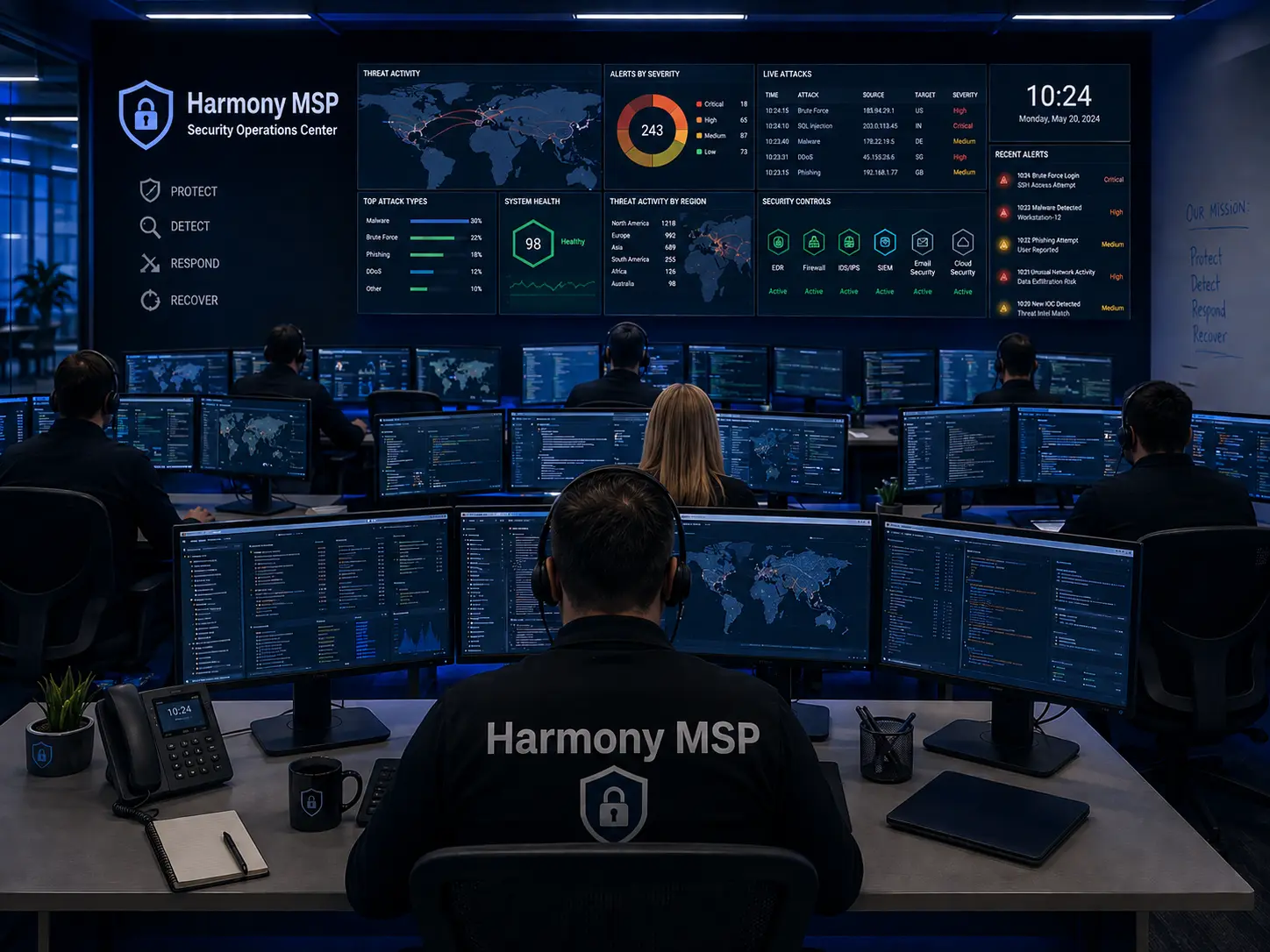
A security operations center is a team of analysts, working in shifts around the clock, who receive telemetry from your endpoints, identity systems, and network, investigate what looks wrong, and take action when it is. The key word is action. Monitoring alone tells you a fire happened. A SOC with response authority puts it out.
Here is how the same timeline changes.
| Time | Unmonitored environment | With 24/7 SOC monitoring and response |
|---|---|---|
| Fri 6:15 p.m. | Valid credential logs in from an unusual location. Nothing flags it. | Analyst sees a login from a new geography and device for an account that has never used remote access. Ticket opened within minutes. |
| Fri 7:00 p.m. | Attacker begins scanning the network with admin looking tools. | Endpoint agent reports a network scanner launched on a receptionist workstation. Correlated with the odd login. Analyst isolates the host from the network and disables the account. |
| Fri 9:40 p.m. | Attacker reaches Active Directory. | Attacker never reaches it. Access was cut about two and a half hours earlier. |
| Sat 2:10 a.m. | Backups deleted, persistence installed. | Analyst reviews the isolated machine, confirms no lateral movement, and documents indicators. Your on call contact is notified with a clear summary. |
| Sun 11:30 p.m. | Data exfiltrated. | Nothing. Network is quiet. |
| Mon 3:05 a.m. | Encryption across every machine. | Nothing. Network is quiet. |
| Mon 7:50 a.m. | Office discovers ransomware. Multi day outage begins. | Your provider briefs you on Friday night’s blocked intrusion, resets the compromised credential, and closes the MFA gap that let it happen. Business opens normally. |
The Sophos data supports this picture with a hard number: dwell time in environments with managed detection and response was two days, versus five days for organizations that only engaged incident responders after the fact. In the best cases, and these are common, the intrusion is stopped in the first hour, before the attacker has anything worth ransoming.
That is the whole argument for 24/7/365 coverage in one sentence. Every stage of a ransomware attack after the initial login depends on time, and a staffed SOC is the only control that takes the time away.
What a SOC actually needs to do (and what “monitoring” often does not)
Not every product with “24/7” on the datasheet delivers the outcome above. When evaluating what you have or what a provider is offering, look for four things.
- Continuous human review, not just automated alerts. Alert fatigue is real. A tool that generates 400 notifications a day and emails all of them to a shared inbox is not monitoring. Someone has to triage.
- Authority to act without waking you up. If the SOC has to call the owner at 2 a.m. to get permission to isolate a laptop, the value collapses. Response authority should be agreed in writing in advance, with clear limits.
- Identity visibility, not just endpoints. Two thirds of intrusions start with a login. If your monitoring only watches laptops and servers and ignores your Microsoft 365 or Google Workspace tenant, it will miss the first two hours of the attack, which are the hours that matter. This is the case we made in Identity Is the New Perimeter.
- Log retention you can actually investigate. Sophos found missing logs were the second most common contributing factor in the incidents they investigated, often because firewall logs defaulted to seven days or even 24 hours of retention. If the SOC cannot look back, it cannot tell you what happened.
What 24/7 SOC coverage does not solve
I would rather lose a sale than have you buy this expecting the wrong thing. A SOC is a detection and response layer. It is not a substitute for prevention, and the same Sophos researchers whose data anchors this post say plainly that prevention still beats detection in both outcomes and effort. Some specifics:
- It does not replace MFA. A SOC catches the suspicious login. Phishing resistant MFA stops it from succeeding in the first place. You want both, and MFA is cheaper.
- It does not replace backups. If an attacker is faster than the SOC on one bad night, tested, isolated backups are what get you back to work. No monitoring service should be sold as a reason to skimp on recovery.
- It does not patch your firewall. The Verizon 2026 DBIR reports that exploited vulnerabilities, particularly in edge devices, are now the leading initial access method in its dataset. A SOC may see the exploit land, but a patched device would not have been exploited. See our post on patch management.
- It is not perfect. Analysts make judgment calls. Some intrusions look like normal administrator behavior until they do not. A SOC dramatically shrinks the window; it does not reduce it to zero. Anyone who tells you otherwise is selling something.
- It will occasionally inconvenience you. Isolating a machine at 7 p.m. that turns out to be an employee working late from a new hotel is a false positive. We accept a certain number of those in exchange for catching the real ones, and we will tell you when it happens.
Why we include it rather than sell it separately
Harmony MSP does not offer a managed services plan without 24/7 SOC monitoring and response. The principled reason is in the timeline above: a managed IT agreement that goes quiet at 5 p.m. leaves the client exposed during the exact hours the data says attacks happen. The self interested reason is also real. When a client is encrypted over a weekend, we absorb the emergency labor, the recovery, and the reputational damage regardless of whose fault it was. Including detection and response in every agreement protects our business as much as yours. I would rather say that out loud than pretend it is charity.
Five questions to ask your current provider
- Who is watching my network at 2 a.m. on a Saturday, and what are they authorized to do without calling me?
- Does your monitoring cover my Microsoft 365 or Google Workspace logins, or only my computers?
- How long are my firewall and identity logs retained?
- When was the last time you isolated a machine on my network, and did you tell me?
- If I am encrypted on a Sunday night, what happens between then and Monday morning?
If the answers involve a ticket queue, a voicemail box, or a pause, you have your answer.
A closing thought
I have watched this industry move the goalposts for two decades. First it was antivirus. Then firewalls. Then “next generation” versions of both. Each one mattered, and each one was defeated by attackers who simply changed when and how they worked. The thing that has consistently held up is a person paying attention and empowered to act. That is what a SOC is, stripped of the acronyms.
If you are not sure who is watching your network after hours, or you would like a plain answer about what your current setup would and would not catch on a Friday night, we are glad to walk through it with you. There is no obligation and no pitch deck. Call Harmony MSP at (407) 720-6540 and ask for a security conversation.
Frequently asked questions
What is the difference between monitoring and a SOC?
Monitoring collects alerts. A SOC is the staffed team that reviews those alerts around the clock, investigates the ones that matter, and takes action such as isolating a machine or disabling an account. Monitoring without a person and without response authority mostly produces a record of what went wrong.
Is 24/7 SOC coverage overkill for a business with 20 employees?
The Sophos incident data cited above comes mostly from organizations under 250 employees, and 88 percent of the ransomware in it was deployed off hours. Small businesses are targeted precisely because they are less likely to have anyone watching at night. The coverage is sized to the attacker’s schedule, not your headcount.
Does a SOC replace the need for backups or MFA?
No. A SOC is the layer that catches what prevention missed. MFA, patching, and tested backups remain the foundation. The best outcome is a SOC that rarely has to act because the basics were done well.
Related reading from Harmony MSP
- Endpoint Detection and Response (EDR): Why Your Insurer and Your Compliance Framework Now Expect It
- Identity Is the New Perimeter: The Case for ITDR
- Break the Chain: A 5-Step Ransomware Defense Plan
- MFA Approved the Login. Someone Else Got In.
Sources
- Sophos X-Ops, “Nowhere, man: The 2026 Active Adversary Report,” February 24, 2026. Primary source for off hours timing, dwell time, Active Directory timing, identity root causes, MFA findings, tool abuse, and log retention findings.
- Sophos press release, “Sophos Active Adversary Report 2026: Identity attacks dominate as threat groups proliferate,” February 24, 2026
- Verizon, 2026 Data Breach Investigations Report. Source for ransomware share of breaches, median ransom paid, share of victims not paying, the 95 day credential compromise window, and vulnerability exploitation as leading initial access.
- FBI Internet Crime Complaint Center, 2025 Internet Crime Report, released April 6, 2026. Source for ransomware complaint volume and reported losses.
A note on statistics: All figures above are drawn from the primary reports listed. Survey based statistics about weekend staffing levels circulated by security vendors were reviewed and deliberately left out of this post because they rely on self reported responses rather than investigated incidents.