Most of the security conversation I have with business owners is about what comes in. Phishing. Spoofed invoices. Attachments that are not what they claim to be. That is a fair concern, and I write about it often. But after 25 years in this industry, including 15 running a managed services company, the email incidents that have caused the most quiet, expensive damage to the small businesses I work with were not attacks at all. They were sends.
A bookkeeper attaches the wrong spreadsheet. A medical office replies all to a thread that includes a patient. A closing coordinator forwards a purchase contract with a bank routing number sitting in plain text. Nobody broke in. Nobody clicked anything malicious. Someone hit Send, and information that was supposed to stay inside the business left it.
This post is about the two controls that catch those moments: email encryption and data loss prevention, usually shortened to DLP. Vendors tend to sell them as separate products with separate acronyms. I think that framing is wrong for a small business. They are two halves of one safety net for outbound email, and they work best when you think of them that way.
Inbound gets the attention. Outbound does the quiet damage.
The 2026 Verizon Data Breach Investigations Report, which analyzed more than 22,000 confirmed breaches, found that the human element was present in 62 percent of them. That number covers phishing victims and stolen credentials, but it also covers plain mistakes. Verizon tracks those under a pattern it calls Miscellaneous Errors, and in its industry snapshots it describes misdelivery, meaning data intended for one recipient that ends up with someone else, as the dominant error type in nearly every sector it examines.
Verizon has been saying some version of that for years, and healthcare in particular has had Miscellaneous Errors in its top three breach patterns every year the report has tracked it. This is not a new problem. It is a persistent one, which tells you awareness training alone has not solved it. People who know better still send the wrong thing to the wrong person when they are busy, tired, or working from a phone.
Here is the part that matters for a business owner: a misdirected email carrying personal or financial information is a breach. Not a near miss. In many cases it is a reportable breach, with notification obligations and the legal and reputational cost that goes with them. The fact that it was an accident does not change the classification.
Plain English version: Your inbound defenses protect you from other people. Your outbound defenses protect you from yourself. Most small businesses have invested heavily in the first and almost nothing in the second.
What “encrypted” actually means for your email right now
If you use Microsoft 365 or Google Workspace, you have probably been told your email is encrypted. That is true in a narrow way and misleading in a broad way, so it is worth being precise.
Modern mail servers use something called opportunistic TLS. When your server hands a message to the recipient’s server, it tries to negotiate an encrypted connection first. Microsoft’s own documentation describes Exchange Online as always attempting the most secure version of TLS it can agree on, and it also states plainly that an unencrypted SMTP connection can still be used if the other side cannot negotiate encryption. The word “opportunistic” is doing real work in that sentence. Encryption happens when both sides support it. If they do not, the message goes anyway, in the clear, and you will never see a warning.
There is a second limitation that has nothing to do with negotiation. Transport encryption protects the pipe, not the message. Once the email lands, it sits in the recipient’s mailbox as readable text. If that mailbox is shared, forwarded, synced to a personal phone, or later compromised, the message is exposed. A tax return you sent over a perfectly encrypted connection last March is still sitting readable in a client’s inbox today.
Message-level encryption addresses both gaps. The content itself is encrypted, the recipient authenticates to read it, and the sender can control whether it can be forwarded or how long it stays accessible. That is the layer most small businesses are missing, and it is the layer regulators mean when they say “encrypt customer information in transit.”
Two halves of one safety net
Encryption protects the things you meant to send. DLP catches the things you did not mean to send. Neither one is complete on its own, and that is the whole argument for treating them as a single system.
Encryption: protecting the intended send
A good encryption setup for a small business is mostly invisible. Policies decide which messages get encrypted based on content, recipient, or a keyword the sender types in the subject line. An employee emailing a Social Security number, a health record, or a payment instruction does not need to remember to do anything special. The system recognizes the pattern and wraps the message before it leaves. The recipient gets a link to a secure portal, or, if their organization also supports it, the message simply opens normally on their end.
The honest tradeoff is friction for recipients who are not set up for it. A client who has to log into a portal to read your message will occasionally grumble. In my experience that grumble lasts about one week, and it goes away entirely the first time that same client hears about a competitor’s breach.
DLP: catching the unintended send
DLP inspects outbound email and attachments against a set of rules before delivery. The rules look for patterns: nine-digit numbers formatted like Social Security numbers, sixteen-digit strings that pass a credit card check, bank routing and account numbers, medical record identifiers, or specific phrases like “confidential” or a project code name your business uses. When a message matches, the policy decides what happens. It can block the send and notify the user, quarantine it for a manager to review, strip the attachment, or, and this is where the two halves connect, automatically encrypt it instead.
That last option is the one I push hardest with clients. A DLP rule that blocks is a rule people learn to work around. A DLP rule that quietly encrypts is a rule that makes the safe path the easy path. The employee’s intent was fine. The delivery method was the problem. Fix the delivery method and let the work continue.
DLP also gives you something you cannot get any other way: visibility. Verizon’s 2026 report drew on a DLP dataset to measure how often employees paste company information into unauthorized AI tools, and found that the most common type submitted was source code, followed by images and structured data. You only know that because DLP policies were watching. Without that layer, a business is guessing about where its information goes.
| Scenario | What encryption does | What DLP does |
|---|---|---|
| Employee intentionally emails a client’s tax documents | Encrypts the message so only the client can open it | Confirms the content matches policy and applies encryption automatically |
| Employee attaches the wrong file with payroll data | Nothing on its own; the send was not flagged for encryption | Detects the pattern, blocks or reroutes the message before delivery |
| Reply-all includes an outside party on a sensitive thread | Nothing on its own | Flags an external recipient on content that matches an internal-only rule |
| Message delivered to a mail server that cannot negotiate TLS | Message-level encryption keeps the content protected regardless | Nothing on its own; DLP does not control transport |
| Sensitive email forwarded by the recipient months later | Can restrict forwarding or expire access | Nothing after delivery |
Where the rules already expect it
I try not to lead with compliance because it turns security into a checkbox exercise. But for a lot of Central Florida businesses, the requirement already exists whether they have noticed it or not.
- FTC Safeguards Rule. If your business is “significantly engaged” in financial activity, which covers mortgage brokers, tax preparers, auto dealers that arrange financing, collection agencies, and many financial advisors, you fall under 16 CFR Part 314. Section 314.4(c)(3) requires you to protect customer information by encryption both in transit over external networks and at rest. There is an infeasibility exception, but it has to be documented and approved by your designated Qualified Individual. “We did not get around to it” is not an infeasibility finding.
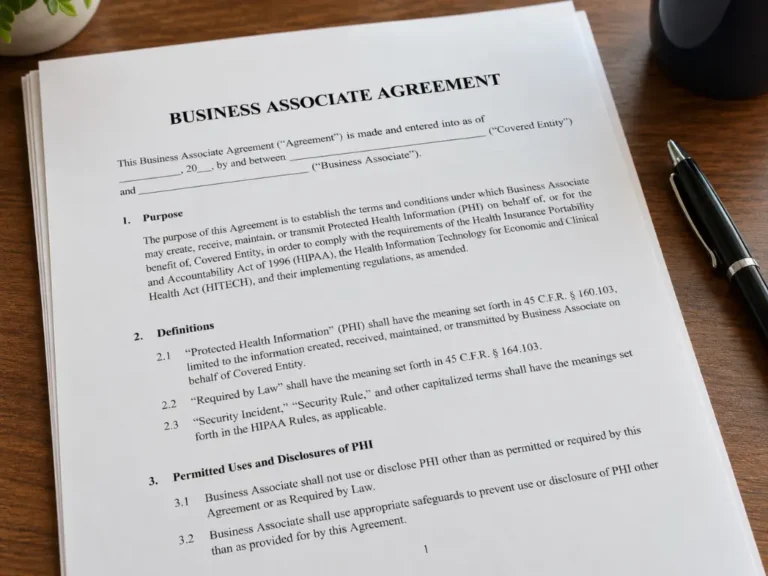
- HIPAA. Covered entities and their business associates are required to protect electronic protected health information in transit. The current Security Rule treats encryption as an addressable specification, meaning you must implement it or document why an equivalent measure is reasonable. In practice, unencrypted email of patient information is very hard to defend in a HHS investigation, and HHS has proposed changes that would make encryption an outright requirement. We covered the broader program in HIPAA Compliance Is Not a Binder.
- Florida law. The Florida Information Protection Act ties breach notification to unencrypted personal information. Encrypting the data you send is one of the few things that can keep an accidental disclosure from becoming a notifiable event under state law. I am not an attorney, and you should confirm how this applies to your situation, but the direction of the statute is not subtle.
- Contracts and cyber insurance. Increasingly, the requirement does not come from a regulator at all. It comes from a larger customer’s vendor security questionnaire or from an insurance renewal application that asks, in writing, whether you encrypt sensitive email and whether you have DLP controls. Answering no has a price. Answering yes without actually having it in place has a much larger one.
What it does not do, stated plainly
I would rather you buy this because you understand its limits than because a sales deck oversold it.
- It does not stop business email compromise by itself. The FBI’s 2025 Internet Crime Report attributes over $3 billion in reported losses to business email compromise, the second largest loss category it tracks. Encryption does not prevent an attacker who has taken over a mailbox from sending mail. DLP can flag unusual outbound content from that mailbox, which is useful, but the primary defenses against account takeover are multifactor authentication, conditional access, and a written payment verification rule. Those come first, and our post on email filtering covers the inbound side in detail.
- It does not stop inbound phishing. This is an outbound control. Your inbound filtering, awareness training, and link protection remain a separate layer.
- DLP rules generate false positives. A rule that looks for nine-digit numbers will occasionally flag a tracking number or a purchase order. The first 30 to 60 days of a DLP rollout are a tuning period. If your provider tells you it works perfectly out of the box, they have not deployed it very often.
- Recipients need to adapt. Secure portals and expiring links are a minor inconvenience for people outside your organization. Setting expectations with clients up front removes most of the complaints.
- It does not fix a bad data hygiene problem. If your staff routinely emails sensitive data that should live in a client portal or a shared document system, encryption makes that habit safer. It does not make it a good habit. The better long-term fix is to reduce how much sensitive information travels by email at all.
What this costs against what it prevents
I am not going to hand you an inflated breach cost figure. The headline numbers from large industry reports are weighted toward enterprises and do not describe what a 20-person firm in Lake Mary actually experiences. What I can tell you from direct experience is what a single misdirected email tends to involve for a small business: an attorney consultation to determine whether notification is required, letters to affected individuals, a credit monitoring offer in many cases, a formal explanation to the client whose data was exposed, and several days of the owner’s attention that were supposed to go somewhere else. None of those items is catastrophic. Together, they routinely exceed what a year of encryption and DLP would have cost.
For a typical small business, encryption and DLP as a managed service is a per-user monthly line item comparable to a cup of coffee. That is a deliberately vague number because pricing depends on user count, the depth of DLP policy you need, and whether it is bundled with other services. The point is the order of magnitude. This is not a capital project. It is a subscription that runs in the background and earns its keep the first time it catches something.
A note on self-interest: Harmony MSP includes encryption and DLP in its standard service stack rather than selling it as an add-on, and we make money doing so. The self-interested version is that we are the ones who get the phone call when a client’s misdirected email becomes a notification event, and we would rather prevent that call than bill for the cleanup. The principled version and the self-interested version happen to point the same direction.
If you want to start this week
You do not need to design a full policy framework before doing anything. A reasonable first pass looks like this:
- Find out what you actually have. Ask your IT provider two direct questions: Is message-level encryption available and enabled for our tenant, and are there any outbound DLP policies active today? Get the answer in writing. If the answer is “you have TLS,” you now know that means opportunistic transport encryption and nothing more.
- Identify your three most sensitive data types. For most small businesses this is some combination of Social Security numbers, financial account numbers, health information, and client contract terms. Start with those. You can expand later.
- Set DLP to encrypt first, block second. Default the policy to automatically encrypt matched messages. Reserve hard blocks for the small set of things that should never leave by email under any circumstances.
- Tell your clients before you turn it on. A short note explaining that sensitive messages will now arrive through a secure link, and why, converts most complaints into appreciation.
- Review the logs at 30 days. Look at what was flagged, what was false, and what surprised you. The surprises are the reason you did this.
A closing thought from someone who has read the incident reports
The breaches that make the news are the ransomware events and the nation-state intrusions. The breaches that fill an MSP’s incident log are far more ordinary, and the most ordinary of all is a competent, well-meaning employee sending the right information to the wrong place, or the wrong information to the right place. Encryption and DLP exist for that exact moment. One protects what you meant to send. The other catches what you did not. Together they turn an inevitable human mistake into a non-event, which is about the best outcome security can offer.
If you would like a plain-language assessment of what your current email setup does and does not protect, Harmony MSP is happy to walk through it with you. No sales pressure, and you will leave with a clear picture either way. Reach us at (407) 720-6540.
Frequently asked questions
Is my email already encrypted if I use Microsoft 365 or Google Workspace?
The connection between mail servers usually is, through opportunistic TLS. The message itself is not. If the receiving server cannot negotiate TLS, the message is delivered unencrypted with no warning, and once delivered it sits as readable text in the recipient’s mailbox. Message-level encryption is a separate feature that has to be enabled and configured.
What is the difference between email encryption and DLP?
Encryption protects a message you intended to send by making it unreadable to anyone but the recipient. DLP inspects outbound mail for sensitive content and decides what to do with it before delivery, which can include blocking it, holding it for review, or encrypting it automatically. One protects the intended send. The other catches the unintended one.
Does email encryption stop business email compromise?
No. An attacker who has taken over a mailbox can send encrypted mail like anyone else. Multifactor authentication, conditional access, and a written callback rule for any change to payment instructions are the controls that address account takeover. Encryption and DLP address accidental disclosure, which is a different problem.
Will DLP slow down my staff?
It should not, if the policy is set to encrypt matched messages rather than block them. The first month involves some tuning to reduce false positives. After that, most employees never notice it unless it catches something that would have been a real problem.
Sources
- Verizon, 2026 Data Breach Investigations Report
- Verizon, 2026 DBIR Public Sector Snapshot
- Verizon, 2026 DBIR Healthcare Snapshot
- FBI Internet Crime Complaint Center, 2025 Internet Crime Report
- Microsoft Learn, How Exchange Online uses TLS to secure email connections
- Electronic Code of Federal Regulations, 16 CFR 314.4, FTC Safeguards Rule
- Florida Statutes, section 501.171, Florida Information Protection Act
- U.S. Department of Health and Human Services, HIPAA Security Rule, 45 CFR 164.312(e)
A note on statistics: DBIR percentages are as published by Verizon. Dollar figures come directly from the FBI IC3 report. Secondary-source figures that could not be traced to a primary report were deliberately excluded.