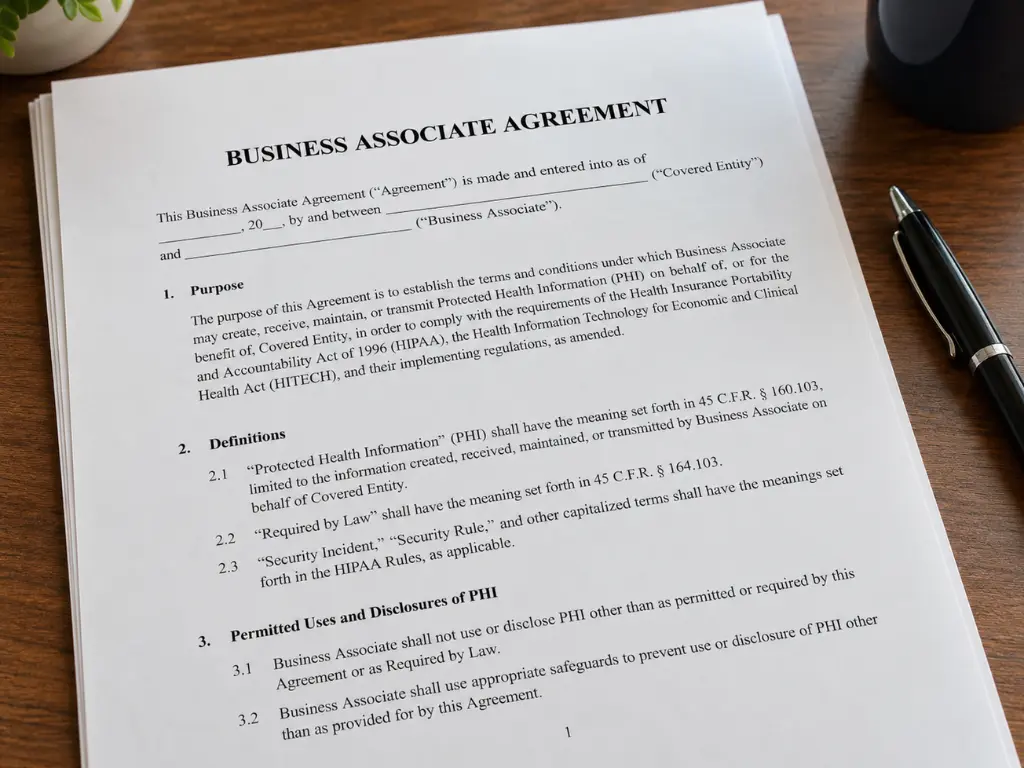
In a lot of small practices, each vendor’s business associate agreement sits in a folder nobody has opened since the day it was signed. The vendor sent its standard form, someone signed it, and the box got checked.
That works until something goes wrong: your billing company gets breached, your IT provider’s backup vendor has an incident, or you switch EHR systems and need your records back. That’s when the wording matters.
Below is what a HIPAA business associate agreement has to contain, in plain English, and the four clauses I’d check first: breach-notice timing, subcontractors (including your IT provider’s tools), what happens to patient data when the contract ends, and AI tools. This isn’t legal advice; your attorney decides the legal questions, including what your agreements should say.
What is a business associate, and who isn’t one?
A HIPAA covered entity is a health plan, a health care clearinghouse, or a health care provider that transmits health information electronically in connection with a transaction HIPAA regulates, such as a health care claim (45 CFR 160.103). If your practice submits insurance claims electronically, it’s almost certainly a covered entity.
A business associate is a person or company, other than your workforce, that creates, receives, maintains, or transmits protected health information (PHI) on your behalf, or provides services such as legal, accounting, consulting, or management work that involve your PHI (same regulation). HHS’s examples include a CPA firm whose work involves access to PHI, a cloud service provider, and an “IT contractor or vendor (e.g., EHR vendor, Managed Services Provider)” whose support work requires handling electronic PHI (HHS). Your billing company and your IT provider usually belong on the list.
Who doesn’t need an agreement: your own staff; true conduits like the U.S. Postal Service, an exception HHS limits to entities that only transmit PHI; and services like a janitor or electrician whose access to PHI is incidental at most, with reasonable safeguards in place (HHS).
Here’s what skipping one can cost. In a 2018 resolution agreement, Advanced Care Hospitalists, a physicians group based in Lakeland, agreed to pay $500,000. The agreement says the group got billing services from “an individual who purported to represent a third-party billing company,” with no business associate agreement, and later learned from a local hospital that patient information was viewable on the billing company’s website.
What every business associate agreement must contain
The required terms are in 45 CFR 164.504(e) and 45 CFR 164.314(a). In plain English, the agreement has to:
- Spell out the vendor’s permitted uses of PHI, and allow nothing you couldn’t do yourself, apart from narrow exceptions such as the vendor’s own administration.
- Prohibit any other use or disclosure, except as the law requires.
- Require appropriate safeguards and Security Rule compliance for electronic PHI.
- Require reports of uses or disclosures the contract doesn’t allow, security incidents, and breaches.
- Require subcontractors that handle the PHI to accept the same restrictions.
- Support patients’ rights to access, amend, and get an accounting of disclosures.
- Follow the Privacy Rule when the vendor performs one of your obligations for you.
- Open the vendor’s relevant books and records to HHS.
- Return or destroy the PHI at the end, if feasible, and keep protecting anything that can’t be.
- Let you terminate if the vendor violates a material term.
Looking for a business associate agreement template? HHS publishes sample provisions, with a caveat: “This is only sample language and use of these sample provisions is not required for compliance with the HIPAA Rules.” Treat it as the floor.
Check the dates on your oldest agreements, too. Agreements signed before January 25, 2013 could stay in use under the old rules until September 22, 2014 at the latest (45 CFR 164.532). In a 2016 settlement, Care New England Health System agreed to a $400,000 payment. It provided “technical support and information security” for a hospital’s systems as that hospital’s business associate, under an agreement effective March 15, 2005 and “not updated until August 28, 2015, as a result of OCR’s investigation” (resolution agreement). That’s an IT and security provider working under an agreement that predated the 2013 rule changes.
The four clauses that matter when something goes wrong
Those required terms are the minimum. These four clauses are where I’d spend your attention.
Breach-notice timing
A vendor must notify you “without unreasonable delay and in no case later than 60 calendar days after discovery of a breach,” and the clock starts when any of its employees or agents, other than the person who committed the breach, knew or should have known (45 CFR 164.410).
You have the same 60-day outer limit to notify patients, and your clock starts when your workforce or your agent knew or should have known (45 CFR 164.404). Whether a vendor counts as your agent is a legal question. If it does, a vendor that takes its full 60 days can leave you little time, or none. If it doesn’t, your patients could wait months to hear.
Florida is stricter. Under section 501.171 of the Florida Statutes, a vendor contracted to maintain, store, or process personal information for you (including a patient’s name combined with medical or insurance information) must notify you “as expeditiously as practicable, but no later than 10 days” after it determines there was a breach or has reason to believe one occurred. Florida also sets 30-day deadlines for notifying affected individuals and, when 500 or more Floridians are affected, the Department of Legal Affairs; notice given under your federal regulator’s rules can satisfy both if a timely copy goes to the Department. Your attorney can tell you how that applies to your practice.
Deadlines only help if vendors report. In March 2026, HHS announced a settlement with MMG Fusion, whose software is used to communicate with patients of covered entities. An intruder got into its system in December 2020, and OCR opened its investigation in March 2023 after a complaint about “an unreported security incident.” OCR found potential violations including impermissibly disclosing the PHI of approximately 15 million individuals and “Failing to notify covered entities affected by the incident of the breach.”
What I’d ask for:
- Notice of suspected incidents, not just confirmed breaches, within a few business days, and never slower than Florida’s 10.
- A named contact at your practice, so the notice doesn’t sit in a shared inbox.
- A decision on who notifies patients and HHS, and who pays. HHS’s sample provisions say the parties may add “a stricter timeframe for the business associate to report a potential breach” and decide whether the vendor handles those notifications.
Subcontractors, including your IT provider’s tools
Your vendor’s vendors handle your data, too. A business associate must get any subcontractor that creates, receives, maintains, or transmits your PHI to agree in writing to the same restrictions (45 CFR 164.504(e)) and the Security Rule (45 CFR 164.314(a)). That subcontractor is a business associate in its own right. You won’t sign those agreements yourself; the rules don’t require a covered entity to get assurances from a subcontractor (45 CFR 164.502(e)). The flow-down clause is your only contractual hook.
This matters most with your IT provider, which works through its own stack of tools: remote monitoring and remote access software, cloud backup, email filtering, ticketing systems where staff attach screenshots, and documentation platforms. Any of them can end up holding or passing along patient information. Under HHS’s cloud guidance, a backup service holding encrypted copies of your server is a business associate “even if the entity cannot actually view the ePHI.”
Ask your IT provider three questions, in writing:
- Which of your tools could store, process, or transmit our patients’ information?
- Do you have a signed business associate agreement with each of those vendors?
- For any tool you say doesn’t need one, why not?
“We’re HIPAA compliant” doesn’t answer any of them. My post on IT vendor management explains why questions like these belong with your IT provider.
Return or destruction when the contract ends
At the end of the contract, the vendor must return or destroy all PHI it still maintains “in any form” and keep no copies, if feasible. If not, it must keep protecting what’s left and limit further use (45 CFR 164.504(e)).
“In any form” is the phrase to focus on. Copies live in backups with long retention periods, archived mailboxes, exported reports, ticket attachments, and old laptops the vendor hauled away. The rule doesn’t say what format your data comes back in, or how fast, so put that in the contract:
- A usable, documented format within a set number of days. For an EHR, that means records another system can import.
- Written confirmation of destruction, including when backup copies age out.
- A written list of anything that can’t be destroyed, and why.
- The price of the exit export, agreed before you need it.
AI tools that touch patient information
The business associate definition doesn’t care whether a person or a model does the work. If an AI scribe records exam rooms, a chatbot books appointments, or your phone system transcribes voicemails, the vendor behind it is usually creating, receiving, maintaining, or transmitting PHI on your behalf (45 CFR 160.103), and it needs an agreement. In the preamble to its proposed Security Rule, HHS wrote that ePHI “in AI training data, prediction models, and algorithm data” maintained for covered functions is protected by the HIPAA Rules, and that training AI models on patient data “could result in impermissible uses and disclosures” (Federal Register).
Three things to check:
- Is this exact product covered? As of October 2026, OpenAI’s help center lists the products it offers with a BAA, including ChatGPT for Healthcare, ChatGPT for Enterprise with Regulated Workspace, ChatGPT for Clinicians, and its API with Modified Retention (OpenAI), and states “we don’t offer a BAA for ChatGPT Business” (OpenAI). A staff member’s personal chatbot account usually has no agreement behind it.
- Can the vendor train on your data? The permitted-uses section controls this. If the agreement or the vendor’s terms allow it, have your attorney look before you sign.
- What happens to recordings and transcripts? Ask how long they’re kept, where, and how they’re returned or destroyed when you leave.
What the proposed Security Rule would add
HHS proposed major Security Rule changes in January 2025. Two would reach straight into your agreements: written verification from each business associate, at least once every 12 months, that it has deployed the required technical safeguards (backed by an expert’s written analysis and a certification from someone authorized to act for the vendor), and a clause requiring the vendor to tell you within 24 hours after activating its contingency plan.
It’s still a proposal. As of October 2026, the federal regulatory agenda lists it among long-term actions, with final action targeted for July 2027 (Reginfo.gov). I covered the full proposal in my step-by-step guide to the proposed HIPAA Security Rule. If you’re renegotiating anyway, ask for the 24-hour notice now.
A quick check of the agreements you already have
Compare each agreement to this table. The right-hand column is my opinion of what to ask for, not a legal requirement.
| Clause | Federal minimum | What I’d ask for |
|---|---|---|
| Breach notice | No later than 60 days after discovery | Suspected incidents within days, never over Florida’s 10 |
| Patient notices | You notify patients | Who drafts, sends, and pays, in writing |
| Subcontractors | Same restrictions, in writing | A current list and a signed BAA for each |
| End of contract | Return or destroy if feasible | Usable format, a deadline, written confirmation |
| Permitted uses | Spelled out in the contract | No training on your data without written consent |
| Contingency plan | Not required (proposed: 24 hours) | Notice within 24 hours |
Any vendor that touches patient data with no agreement at all goes to the top of the list. I covered that failure briefly in what counts as a HIPAA violation.
The honest tradeoffs
Tighter agreements are worth having, but they have limits and costs.
- Large vendors rarely negotiate. In my experience, a major EHR or cloud platform hands you its standard agreement. Your real choice is which vendor you pick.
- A BAA isn’t a security control. It assigns responsibilities. It doesn’t make a vendor’s systems safer or remove your obligations. If you know of a vendor’s pattern of material violations and don’t take reasonable steps to fix it (or end the contract, where feasible, if those steps fail), you’re out of compliance too (45 CFR 164.504(e)).
- Faster notice means messier early reports. Someone at your practice has to be ready to take that call.
- The inventory takes real time, especially as AI features show up in software you already pay for.
- Legal review costs money. I’d still spend it on the vendors holding the most patient data.
Good agreements are one piece of a complete HIPAA program, not a substitute for one.
Where I have a stake in this
Harmony MSP signs business associate agreements with our healthcare clients, because as their IT provider we’re their business associate. Everything in this post applies to us. Ask us for our subcontractor list, our notice window, and our offboarding process in writing, then ask your current provider the same.
There’s a less comfortable reason this matters to us. If one of our own tool vendors had an incident, we’d be the ones calling you, and the flow-down clause I’m telling you to check is one we answer for. We support medical and dental practices across Central Florida, and Harmony sells the managed IT and security work that covers the technical side of this, so I benefit if you decide it’s worth paying someone to handle it.
Frequently asked questions
What is the definition of a business associate under HIPAA?
Under 45 CFR 160.103, a business associate is a person or organization, other than your workforce, that creates, receives, maintains, or transmits protected health information on your behalf, or provides services such as legal, accounting, or consulting work involving that information. Subcontractors that handle PHI for a business associate are business associates too. Billing companies, cloud storage providers, and IT providers whose work involves patient data are common examples.
What is the role of a business associate?
A business associate performs a function or service for a covered entity that involves patient information, such as billing, IT support, or data storage. It must use that information only as its agreement allows, protect electronic PHI under the Security Rule, report breaches to the covered entity, and pass the same obligations to its own subcontractors. HHS can hold business associates directly liable for several of those duties.
Who is considered a covered entity under HIPAA?
Health plans, health care clearinghouses, and health care providers that transmit health information electronically in connection with a HIPAA transaction, such as an insurance claim. A medical or dental practice that submits claims electronically is almost certainly one. If you’re unsure, HHS links to a CMS decision tool that walks through the question.
Where to start
If you’re not sure which vendors touch your patient data, or what their agreements say, that’s worth finding out before a bad day. Start with a simple list: every vendor, the patient data it touches, and whether a signed agreement is on file.
We’re happy to go through that list with you, including your IT tools and any AI features your staff already use, with no pressure and no obligation. Harmony provides managed cybersecurity in Orlando and IT support in Orlando and across Central Florida. Give us a call at (407) 720-6540 whenever you’re ready.
Sources
- eCFR, 45 CFR 160.103, Definitions, accessed October 8, 2026.
- eCFR, 45 CFR 164.314, Organizational requirements, accessed October 8, 2026.
- eCFR, 45 CFR 164.404, Notification to individuals, accessed October 8, 2026.
- eCFR, 45 CFR 164.410, Notification by a business associate, accessed October 8, 2026.
- eCFR, 45 CFR 164.502, Uses and disclosures of protected health information: General rules, accessed October 8, 2026.
- eCFR, 45 CFR 164.504, Uses and disclosures: Organizational requirements, accessed October 8, 2026.
- eCFR, 45 CFR 164.532, Transition provisions, accessed October 8, 2026.
- HHS, Covered Entities and Business Associates, content last reviewed August 21, 2024.
- HHS, Business Associates, content last reviewed July 30, 2026.
- HHS, Business Associate Contracts: Sample Business Associate Agreement Provisions, January 25, 2013.
- HHS, Guidance on HIPAA & Cloud Computing, content last reviewed December 23, 2022.
- HHS, Direct Liability of Business Associates, May 2019.
- HHS, Resolution Agreement and Corrective Action Plan, Advanced Care Hospitalists PL, accessed October 8, 2026.
- HHS, HIPAA settlement illustrates the importance of reviewing and updating, as necessary, business associate agreements, September 23, 2016.
- HHS, Resolution Agreement, Care New England Health System, accessed October 8, 2026.
- HHS, HHS’ Office for Civil Rights Settles HIPAA Investigation of MMG Fusion, LLC Breach Affecting 15 Million Individuals, March 5, 2026.
- The Florida Senate, 2026 Florida Statutes, Section 501.171: Security of confidential personal information, accessed October 8, 2026.
- Federal Register, HIPAA Security Rule To Strengthen the Cybersecurity of Electronic Protected Health Information, January 6, 2025.
- Reginfo.gov, Unified Agenda, RIN 0945-AA22: HIPAA Security Rule to Strengthen the Cybersecurity of Electronic Protected Health Information, accessed October 8, 2026.
- OpenAI Help Center, How can I get a Business Associate Agreement (BAA) with OpenAI for the API Services?, accessed October 8, 2026.
- OpenAI Help Center, HIPAA eligible products and functionality, accessed October 8, 2026.