Many practices set next year’s technology budget this quarter, and a lot of those conversations start with the server in the back closet. If your dental practice management software runs on Windows Server 2016, Microsoft’s support for that operating system ends on January 12, 2027. Sooner or later, someone asks: should we just move to the cloud?
It’s a fair question, and it deserves more than a feature checklist. The harder part is what each option asks of your network, X-ray sensors, backups, internet connection, HIPAA paperwork, and budget.
This is a buyer’s guide from the IT side. I won’t rank vendors, and Harmony doesn’t sell or resell dental software. I quote Open Dental often because it publishes its requirements, prices, and conversion details openly, which makes it a useful example of what to ask every vendor, not an endorsement.
Separate the server deadline from the software decision
These are two decisions, and only one has a date attached.
Your software vendor isn’t the problem on January 12. Henry Schein One’s Dentrix System Requirements 2026 lists Windows Server 2016, 2019, 2022, and 2025 as supported, noting that extended support for 2016 continues until January 12, 2027. Open Dental’s computer requirements list the same four versions and show what happens after Microsoft moves on: support for Windows Server 2012 was suspended on October 10, 2023. Plan on 2016 getting the same treatment.
So the server question is what your software runs on after January 12. The software question is what you want to run the practice on for the next five to seven years. Rush the second to solve the first, and you’ll make your biggest technology decision under deadline pressure.
Microsoft offers Extended Security Updates for Windows Server 2016 through Azure Arc, billed as a subscription, which can buy time. I covered the options and the catches in my plan for offices still running Windows Server 2016.
Replacing a server this winter? Two lines in the Dentrix requirements trip people up:
- Essentials editions aren’t supported. Windows Server Essentials and Small Business editions are listed as unsupported “due to port conflicts with backups.”
- Neither is hosted remote desktop. Thin client setups such as Terminal Services and Citrix “are currently not supported.” If anyone offers to host your server-based system in a data center, ask the software vendor first.
Server-based vs cloud dental practice management software
A server-based system keeps the database on a computer you own. Henry Schein One’s comparison page describes Dentrix as running on “Local servers (practice-managed)” with “Practice-managed IT and backups.” Patterson Dental has described Eaglesoft as an on-premise system, and its cloud product is Fuse; Patterson listed both in its practice management lineup in 2024. Open Dental runs on your own server unless you choose its hosted option.
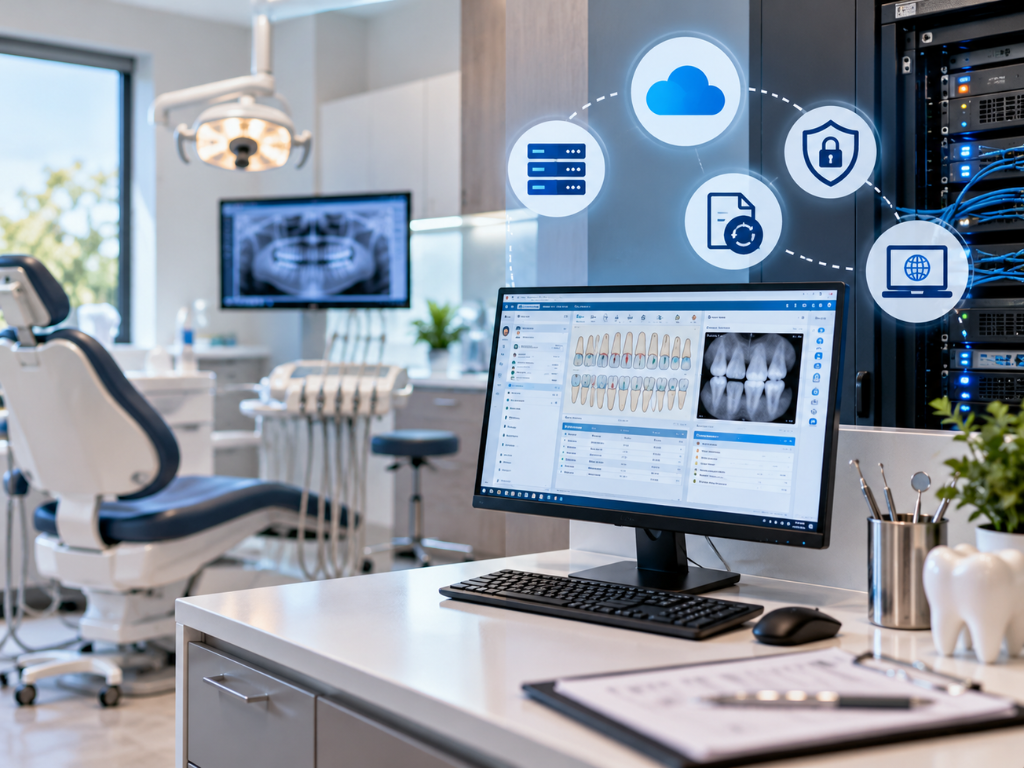
A cloud system keeps the database on the vendor’s servers, reached through a browser or a small program on each computer. Dentrix Ascend, Curve Dental, Denticon from Planet DDS, and Oryx work this way. Open Dental Cloud is a hosted version in “limited release,” available only to U.S. customers.
| Job | Server-based | Cloud |
|---|---|---|
| Server hardware and Windows updates | You or your IT provider | The vendor |
| Database backups | You or your IT provider | The vendor, on its schedule |
| Workstations, network, sensors | You | Still you |
| Getting your data out | On your server, but some formats are proprietary | Through the vendor’s export process |
The row people skip is the third one. Henry Schein One says Ascend “requires no local servers or IT maintenance.” No local server, yes. No IT maintenance, no. Open Dental’s cloud page says it plainly: “The local computers that access the Open Dental Cloud are still fully managed by the practice or their IT.” Every PC, sensor, printer, firewall, and Wi-Fi access point still needs patching and security.
Dental imaging software is where switches go wrong
Your X-rays live either inside the practice software or in separate dental imaging software connected through what Open Dental calls a “bridge”. Either way, the sensors plug into operatory computers, and moving the database to the cloud doesn’t move them.
Each cloud platform that documents its imaging setup still puts software on the local computer:
- Dentrix Ascend uses an acquisition agent, with an offline mode that syncs images captured during an internet outage.
- Curve’s system requirements say Curve Capture “requires direct, local access to imaging devices.”
- Open Dental Cloud needs its cloud client on a Windows computer to bridge to third-party imaging software.
- Planet DDS installs Apteryx imaging software on each imaging workstation.
Switching also raises the question of your existing X-rays. Open Dental’s Eaglesoft conversion guide says Eaglesoft’s X-rays “are proprietary and their x-ray software cannot be bridged to Open Dental,” so you need an imaging plan before the final conversion. Curve’s data conversion page says imaging and document conversions “start right after you Go Live,” so your team may need the old system to view older images for a while.
Before you sign, get written answers to four questions:
- Which of our sensors, cameras, and panoramic units are supported?
- Does our imaging software stay, bridged to the new system, or get replaced?
- Will our historical X-rays convert, when, and at what cost?
- Who installs and updates drivers and capture software on each operatory computer?
One more: the Dentrix requirements say wireless networks “are to be used at your own risk due to potential interference from X-ray machines.” Wire the operatories.
Backups: “it’s in the cloud” is not a backup plan
HIPAA’s Security Rule requires a data backup plan, a disaster recovery plan, and an emergency mode operation plan. A cloud vendor changes who runs the backups, not whether your practice needs those plans.
On a server-based system, the backups are yours. They have to cover imaging data as well as the practice database, with an offsite copy and a restore you’ve actually tested.
On a cloud system, get the backup schedule and retention in writing. Open Dental publishes its cloud backup schedule: daily backups kept three days, weekly kept six months, monthly kept a year, and yearly kept three years. Retention decides how far back you can go when a problem isn’t caught right away.
Then ask how you’d get a full copy of your data and images, and how fast. I made the same point about Microsoft 365 and Google Workspace: a provider keeping its service running is not the same as you getting back what you lost.
HIPAA: the BAA is where it starts
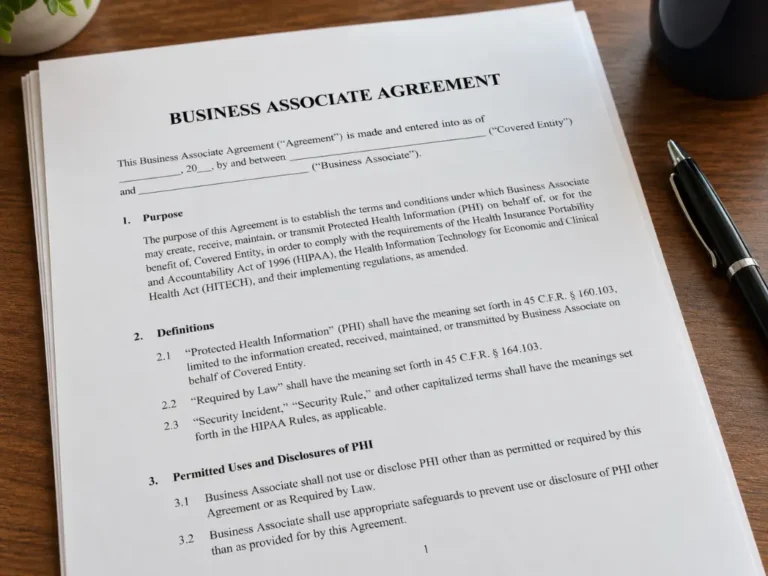
When a practice uses a cloud service provider to create, receive, maintain, or transmit patient data, that provider is a business associate, and the two “must enter into a HIPAA-compliant business associate agreement (BAA)”. HHS adds that this is true “even if the CSP processes or stores only encrypted ePHI and lacks an encryption key for the data.” Skipping it is one of the everyday mistakes that count as a HIPAA violation.
Three things practices miss:
- Integrations need agreements too. If an add-on touches patient data, it may need its own BAA. Open Dental recommends one before you turn on any third-party program link.
- The contract matters as much as the BAA. HHS lists what a service level agreement may cover, including “System availability and reliability,” backup and data recovery, and the “Manner in which data will be returned to the customer after service use termination.”
- Your risk analysis has to include the new system. The BAA is one piece of a complete HIPAA program, not a binder.
This isn’t legal advice. Your attorney decides the legal questions, including how your BAAs and vendor contracts should read.
Internet: the cloud’s single point of failure
With a cloud system, your internet connection becomes part of your practice software. Vendor minimums vary:
- Curve recommends at least 10 Mbps down and 5 up for one to 10 users, and says satellite and wireless service are “not recommended.”
- Planet DDS says each Denticon computer needs at least 1 Mbps down and 512 kbps up, or 10 Mbps down and 5 up for a 10-computer office.
- Open Dental Cloud asks for 20 Mbps down, 10 up, and latency under 30 milliseconds to one of its data centers.
Treat those as floors; internet phones and imaging uploads share the line.
The bigger question is what happens when the line goes down. In my experience, a server-based office keeps scheduling and charting from the local server during an outage, while claims, eligibility checks, and texting wait. A cloud office depends on what the vendor built for offline use. Dentrix Ascend and Apteryx both offer offline image capture; ask each vendor, feature by feature, what else works without internet.
For a cloud practice, budget for a second internet connection from a different provider, a firewall that fails over automatically, and regular failover tests. In Central Florida, add hurricane season to the plan. If the office loses power, a server-based system goes down with it, while a cloud system still lets your team reach the schedule from home, as long as they have internet.
Migration timelines: plan in months, not weekends
Here’s what four vendors publish about timing (Planet DDS, Oryx, Curve, and Open Dental):
| Vendor | What they publish |
|---|---|
| Planet DDS (Denticon) | About 8 weeks from kickoff for most practices; 60 days for a solo practice |
| Oryx | Onboarding typically two to three months; data migration takes a few weeks of that |
| Curve Dental | Final data conversion typically three business days; images and documents start after go-live |
| Open Dental | Test conversion two to four hours if they’ve converted your software before; about three weeks if not |
Two things those numbers don’t show. First, not everything converts. Open Dental’s Eaglesoft guide is a good example: outstanding claims are entered by hand, forms and treatment plans don’t come over, and historical reports should be run in the old software. Second, that means the old system has to stay available, read-only, for a while.
Now do the math. A two to three month onboarding that starts in November finishes in January or February. If the old system lives on a Windows Server 2016 machine, it will still be running after January 12, so the server plan comes first.
A realistic sequence:
- Inventory your server, imaging software, sensors, integrations, and BAAs.
- Decide what the server runs on after January 12.
- Demo your shortlist with your own imaging workflow.
- Run a test conversion and compare patient balances against the old system.
- Upgrade internet and workstations before go-live.
- Go live, and keep the old system read-only and isolated until you no longer need it.
Total cost: compare five years, not a monthly fee against a one-time bill
Server-based costs come in lumps, with server hardware and Windows Server licenses on a replacement cycle, plus a backup system, IT time, and the vendor’s support fees. Cloud costs come monthly: the subscription, priced per location and sometimes per provider, plus conversion fees, a better internet connection with a backup line, and the same workstations and sensors.
Only a few vendors publish prices. As of October 2026:
- Open Dental charges $199 per location per month for the first 12 months, covering up to three providers, then $149, plus $20 a month for each additional provider. Data conversions typically run $1,450 per database, with scanned documents ($850) and X-rays ($900) priced separately. Open Dental Cloud hosting adds $250 to $2,370 a month, depending on the package.
- Oryx lists $650 to $1,399 per location per month, depending on the plan, with two providers included and $100 or $200 a month for each additional one. Practices switching from another system also pay setup, data conversion, and image conversion fees the page doesn’t list.
I didn’t find published prices for the other systems here, so you’ll be working from quotes. Curve, for one, says pricing “depends on practice size and the features you need.” Ask for conversion, imaging, training, and integration fees itemized.
Then compare five years of everything: subscription or support fees, conversion, internet upgrades, workstation refreshes, IT time, and on the server side, at least one hardware refresh.
The honest tradeoffs
Neither model is free of downsides.
- Cloud is a bill that doesn’t end, and it can change. Open Dental’s cloud page says hosting fees “may change from time to time to reflect changes in our external hosting costs.”
- The vendor sets the pace. Updates arrive on its schedule (Open Dental lists wanting to choose when to update as a sign its cloud may not fit), and getting your data out runs through its process.
- Server-based means you own the risk. Patching, backups, hardware failures, water, theft, and storms are yours, and remote access has to be set up securely.
- Either way, migration costs staff time. Some data won’t convert, people need training, and the first few weeks run slower.
None of this fixes messy data, unclear workflows, or a team left out of the decision. No software does.
Where I have a stake in this
Harmony sells managed IT and cybersecurity, including the server, backup, network, and workstation work described above, so I benefit when practices decide that work is worth paying someone to do. We don’t sell or resell dental software.
The less flattering part: a server-based practice gives us more to manage. A server refresh is a project we’d bill for, and a move to the cloud shrinks some of the work we’d otherwise do. I’d still rather you pick the system that fits your practice. Ask any IT provider, us included, how their fees change if you move to the cloud.
Frequently asked questions
Is Dentrix or Eaglesoft better?
Neither is better in the abstract. Both are long-established server-based systems, and both companies also sell cloud products: Henry Schein One offers Dentrix Ascend, and Patterson Dental offers Fuse. From the IT side, the deciding factors are the imaging software and sensors you already own, what your team knows, and the support you get. If you’re weighing Dentrix vs Eaglesoft, demo both with your own imaging workflow.
What is the best free dental practice management software?
For an established practice, there isn’t a free option I’d recommend chasing. Open Dental was released under an open source license, but it switched to a proprietary license in version 24.4, and its monthly support fee includes the software. Startup promotions exist, such as Oryx’s $0 plans, but only for new offices with no patients, and only until 200 patients or 12 months. Compare total cost over five years instead.
What is the most common dental software?
There’s no independent public count I’d rely on. Vendors publish their own claims; Henry Schein One, for example, calls Dentrix “the most widely adopted dental software in the world.” Popularity says little about fit; what matters is whether a system works with your imaging, workflows, and budget.
Where to start
If you’re not sure what your server runs, or you’re weighing a move to the cloud, we’re happy to look at it with you before you sign anything. We’ll review your server, imaging setup, backups, and internet connection so you know what each option would actually require, with no pressure and no obligation. Harmony supports medical and dental practices and provides IT support in Orlando and across Central Florida. Give us a call at (407) 720-6540 whenever you’re ready.
Sources
- Microsoft, Ending Support in 2027, accessed October 8, 2026.
- Microsoft, Planning ahead for Windows Server 2016 end of support, February 25, 2026.
- Henry Schein One, Dentrix System Requirements 2026, April 2026.
- Henry Schein One, Dentrix vs Dentrix Ascend, accessed October 8, 2026.
- Henry Schein One, Acquiring Images in Offline Mode (Dentrix Ascend), accessed October 8, 2026.
- Oral Health Group, Patterson Dental Announces Software Agreement with Solutionreach, May 17, 2018.
- Business Wire, Patterson Dental Selects Weave as Patient Engagement Platform, July 9, 2024.
- Open Dental Software, Computer Requirements, accessed October 8, 2026.
- Open Dental Software, Open Dental Cloud, accessed October 8, 2026.
- Open Dental Software, Open Dental Cloud Requirements, accessed October 8, 2026.
- Open Dental Software, Open Dental Cloud Backups, accessed October 8, 2026.
- Open Dental Software, Program Bridges, accessed October 8, 2026.
- Open Dental Software, Eaglesoft Conversion, updated June 17, 2026.
- Open Dental Software, Test Data Conversion, accessed October 8, 2026.
- Open Dental Software, Conversions, accessed October 8, 2026.
- Open Dental Software, Fees for Support and Services, accessed October 8, 2026.
- Open Dental Software, License, accessed October 8, 2026.
- Curve Dental, AI-Powered, Cloud-based Dental Practice Management Software, accessed October 8, 2026.
- Curve Dental, System Requirements, accessed October 8, 2026.
- Curve Dental, Smooth Data Conversion From Start to Finish, accessed October 8, 2026.
- Planet DDS, Denticon Practice Management: Implementation, accessed October 8, 2026.
- Planet DDS, My computer seems to be running slow. Is there a recommended minimum speed for our office’s internet connection?, updated August 3, 2025.
- Planet DDS, Apteryx: Advanced Dental Imaging Software by Planet DDS, accessed October 8, 2026.
- Oryx Dental Software, Oryx Dental Software Pricing, accessed October 8, 2026.
- U.S. Department of Health and Human Services, Guidance on HIPAA and Cloud Computing, last reviewed December 23, 2022.
- eCFR, 45 CFR 164.308, Administrative safeguards, up to date as of October 6, 2026.