

A small business calls their IT provider first thing Monday. The server that runs their main line-of-business application is down. The person who originally set it up left the company eight months ago. Nobody has the admin password. Nobody is sure where the backups live, or whether they have been running. Nobody knows how old the hardware is, which vendor to call, or whether the warranty is still good. What should have been a thirty-minute fix turns into a two-day scramble. The entire time, the business cannot invoice, cannot serve its customers, and cannot do the work it exists to do.
I have walked into versions of that Monday more times than I can count. Here is the part that surprises people: the technical problem is rarely the hard part. The hard part is that the information needed to fix it quickly does not exist anywhere. It lives in one person’s memory, and that person is gone. Or it is scattered across sticky notes, old emails, a spreadsheet somebody started in 2019, and a folder nobody can find.
That gap has a name. It is a documentation problem, and it is one of the most common and most expensive problems I see in small business IT.
Documentation is not paperwork. It is readiness.
When people hear the phrase IT documentation, they picture a binder on a shelf that nobody opens. That picture is wrong, and it is part of why the work gets skipped.
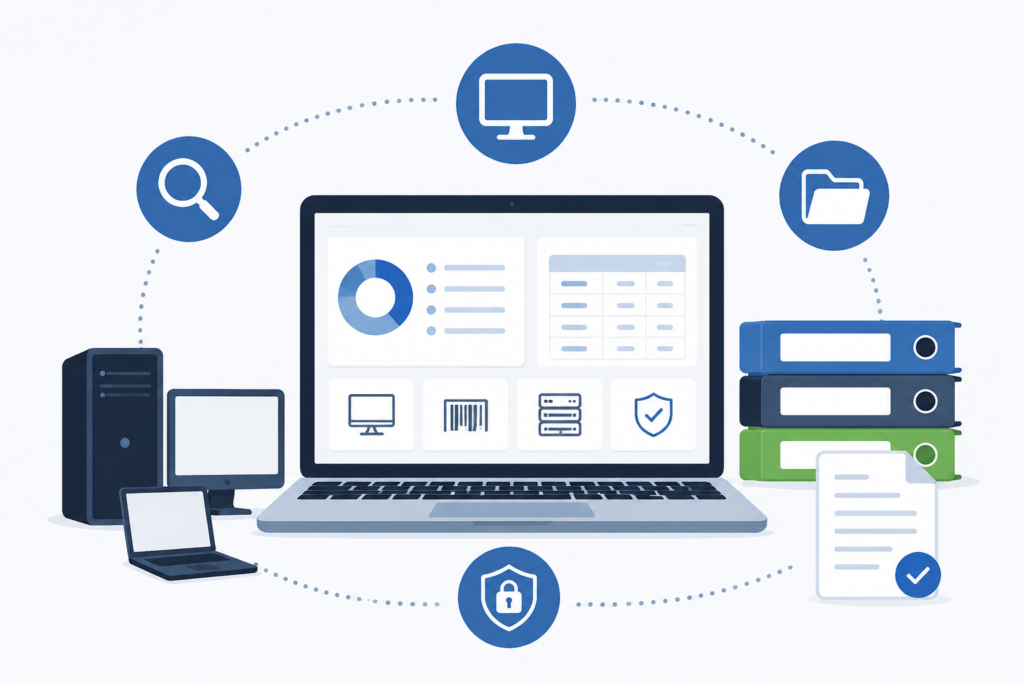
Good documentation is not a formality. It is an accurate, current, and organized record of everything that makes your technology run. It answers the questions that come up in the exact moments when you cannot afford to guess. What do we have? Where is it? How is it configured? Who has access? What does it connect to? When you need to change something, or fix something, or prove something to an auditor, the answers are already written down and easy to find.
I spent time in military communications and intelligence earlier in my career. In that world, the difference between a documented system and an undocumented one was the difference between an operation that ran and one that stalled at the worst possible moment. That lesson never left me, and it shapes how we run every account at Harmony MSP.
What IT documentation actually covers
Documentation is broader than most business owners assume. Done properly, it captures the full picture of your environment, not just a list of computers. Here is what belongs in a complete record.
Asset inventory. Every device on your network: desktops, laptops, servers, firewalls, switches, printers, phones, and mobile devices. Not just that they exist, but their age, warranty status, purchase date, and where they sit in the lifecycle. This is the difference between replacing hardware on a plan and replacing it in a panic after it dies.
Network and infrastructure detail. How the pieces connect. Your internet circuits, IP addressing, network layout, wireless setup, and the configuration of the equipment that moves your data. When something breaks, this is the map that lets a technician find the problem in minutes instead of hours.
Accounts, access, and credentials. Who has access to what, at what level, and how that access is secured. This includes administrative accounts, service accounts, and the credentials for the systems your business depends on, all stored securely rather than in a spreadsheet or someone’s head.
Vendors and contracts. Your internet provider, your software vendors, your hardware suppliers, and the support numbers, account numbers, and renewal dates that go with them. When you need to open a ticket with a vendor at 4:45 on a Friday, this is what saves the evening.
Software and licensing. What you are running, how many licenses you own, when they renew, and whether you are actually compliant with the terms. Underlicensing is a legal and financial risk. Overlicensing is money walking out the door every month.
Procedures and configurations. How key systems are set up and how routine tasks get done, written down so the work does not depend on one person remembering the steps. New employee setup, offboarding, backup verification, and recovery procedures all live here.
Where thin documentation quietly costs you
Missing or outdated documentation rarely announces itself. It shows up as friction, delay, and risk that most owners have simply learned to live with. Here is where it hits.
Downtime lasts longer. Every outage becomes an investigation before it becomes a repair. Time spent rediscovering how your own systems are built is time your business is not running.
Onboarding and offboarding get messy. When you hire someone, good documentation means they are set up correctly and quickly. When someone leaves, it means their access is fully and cleanly removed. Weak documentation is how former employees keep access to systems for months after they walk out the door, which is a real security exposure and a common one.
Vendor management turns into guesswork. Without a record of who provides what, you waste time tracking down account details, you miss renewal dates, and you lose leverage in conversations you should be able to walk into prepared.
Budgeting becomes reactive. When you do not know the age and condition of your equipment, you cannot plan replacements. Instead you absorb surprise failures and emergency purchases at the worst times, usually at a premium.
Security gaps hide in the dark. You cannot protect what you have not accounted for. The forgotten server, the personal laptop that quietly connects to company data, the old account nobody disabled: these are the openings that both attackers and simple accidents exploit. An accurate inventory is the starting line for security, not an afterthought.
Audits and compliance get painful. If you are in a regulated field, or you carry cyber insurance, or a larger client runs a vendor security review on you, you will be asked to show your work. Businesses with solid documentation answer those requests in an afternoon. Businesses without it spend weeks assembling records under pressure, and sometimes fail the review outright.
The single point of failure nobody plans for
There is a specific version of this problem worth calling out on its own, because it is so common and so avoidable.
In a lot of small businesses, one person understands how the technology works. Maybe it is the owner. Maybe it is a capable employee who set things up years ago and has kept it running by memory ever since. Everything functions fine, right up until that person is unavailable. They take a vacation, they get sick, they change jobs, or they simply leave. And suddenly the business discovers that critical knowledge was never written down. It was rented, and the lease is up.
Documentation is what turns knowledge that lives in one person’s head into an asset the business actually owns. It is the difference between a company that keeps running when a key person is out and a company that holds its breath every time they take a day off.
Good documentation is a security control
I want to be direct about the security angle, because it gets underrated.
You cannot secure an environment you cannot see. Every serious security effort starts with knowing exactly what you have, how it is configured, and who can touch it. That inventory and that access record are not separate from your security program. They are the foundation of it. When we know every device, every account, and every connection, we can spot the thing that does not belong, close the access that should not exist, and respond quickly when something looks wrong.
When that picture is missing, you are defending in the dark. You are guessing about what is on your network, hoping former employees no longer have access, and assuming your backups work without any record that they have been tested. Hope and assumption are not a security strategy. Accurate documentation is what replaces them with something you can actually stand on.
I will say plainly that no provider can promise perfect security, and I would be skeptical of anyone who does. What good documentation gives you is not a guarantee. It is readiness, faster response, and far fewer of the self-inflicted gaps that cause most of the trouble I see.
How Harmony MSP handles this
We document everything, extensively, and we keep it current. That is not a line on a brochure. It is how we operate on every account, from the first day of onboarding forward.
When we bring on a new client, one of the first things we do is build a complete and accurate picture of the environment. Every asset, every account, every connection, every vendor, every license. We record how systems are configured and how key tasks are performed. We store credentials securely. Then we treat that record as a living thing. As your environment changes, the documentation changes with it, so it always reflects reality rather than the way things looked a year ago.
That discipline is what lets us respond quickly when something breaks, onboard and offboard your people cleanly, plan hardware replacements before they become emergencies, manage your vendors and renewals without scrambling, and answer a security or compliance request without turning your week upside down. It is quiet, unglamorous work. It is also one of the biggest reasons the businesses we support spend less time fighting fires and more time running.
The best part, from where you sit, is that you do not have to think about any of it. You do not have to maintain the record, chase down the details, or worry about what happens if the one person who knows everything is out. That is our job. We do it so the knowledge belongs to your business, not to a memory or a sticky note.
If this sounds familiar
If any part of that Monday morning story felt a little too close to home, you are not alone, and you are not in a bad spot. Most small businesses have grown their technology one decision at a time, and the documentation simply never kept up. That is fixable, and it is worth fixing before the day you need it and it is not there.
We are a small MSP based in Lake Mary, and we have been supporting businesses across Central Florida since 2011. If you would like to talk through what documenting your environment properly would look like, or you just want a straight answer about where your gaps are, give us a call at (407) 720-6540. No pressure and no pitch. Just a conversation with someone who has done this a long time.